



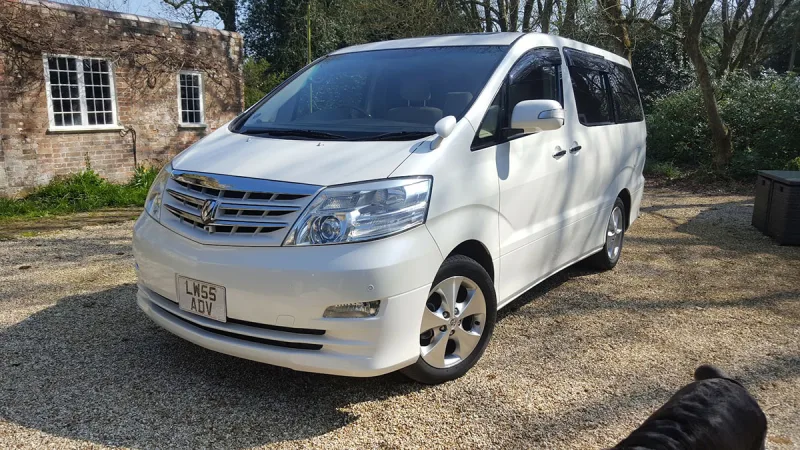
OC’s Review Summary
Comfort and reliability stand out for Elias in the 2003 Toyota Alphard 3.0 V6, which is also described as stylish, well-built and well-equipped. Used for weekend drives, it remains enjoyable and feels like part of the family. However, signs of age are expensive to correct, running costs are middling and the dealer experience was mixed; Elias is unsure about buying another.
AI-assisted · Based on this owner’s answersRead the owner’s words ↓
Ownership in four questions
How it feels
Overall owner feeling
8/10
HappyPeace of mind3/5
Connection4/5
Enjoyment4/5
What feels right
ComfortableReliableRelaxingWell-builtStylishWell-equipped
What’s it like to drive?
On the road
Comfort9/10
Performance7/10
Interior quality8/10
Everyday ownership
Reliability8/10
Running costs5/10
Practicality6/10
Value for money8/10
Who does it suit?
Who the owner thinks it suits
Dog ownersRetired driversLong-distance driversComfort-focused drivers
How they use it
Weekend drives
Why they chose it
Value for moneyBrand reputation
- Vehicle mileage
- 30,000–60,000 miles
Would they buy again?
- Would recommend
- 8/10
- Would buy another Alphard
- Maybe
Their ownership journey
- Current ownership stage
- Long-term owner
- Expectations
- About what I expected
- Relationship with the car
- About the same
- Bought with head, heart or both?
- Head
What does long-term ownership feel like?
Selected by the owner in the survey
THE OWNER’S REVIEW
In their own words
A stylish model which has been reliable and comfortable although now showing some signs of age which is expensive to correct
DEALER EXPERIENCE
The main dealer
Mixed
The owner’s main-dealer rating. Dealer experience is separate from the car’s score.