Join The Toyota Alphard & Vellfire Club
Our community has been built by enthusiasts, for enthusiasts, and proudly run by Alphard owners' for over 7 years. As an independent, non-official club, everything you’ll find here, advice, support, and opinions, comes directly from members with genuine Alphard & Vellfire ownership experience. By being a member you can gain access to active community forums, videos, news, events and more...
Most Viewed Club Topics
-
I would like to hear from anyone whose E-four Alphard randomly changes from 100% front axle drive to engage the rear axle causing an audible clunk (often heard when accelerating from a standing start). My Alphard has always made a rear axle clunk when first accelerating. I have read this was a common criticism of 1st generation hybrids.
-
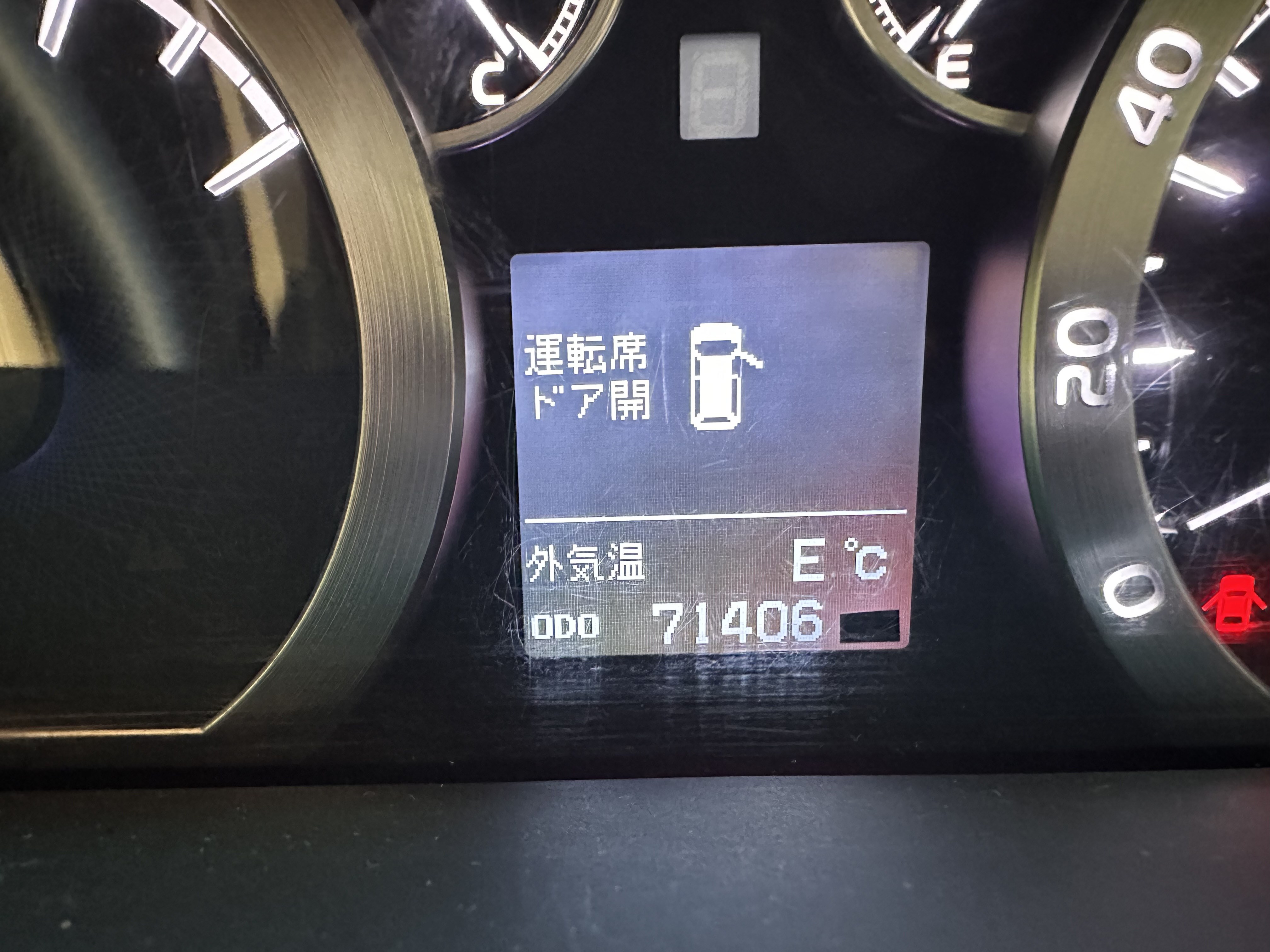
Hi all, has anyone seen this "E" message and/or know what it stands for? This may or may not be related to my other forum post on a flat battery, but I couldn't find anything in the manual about it.
-
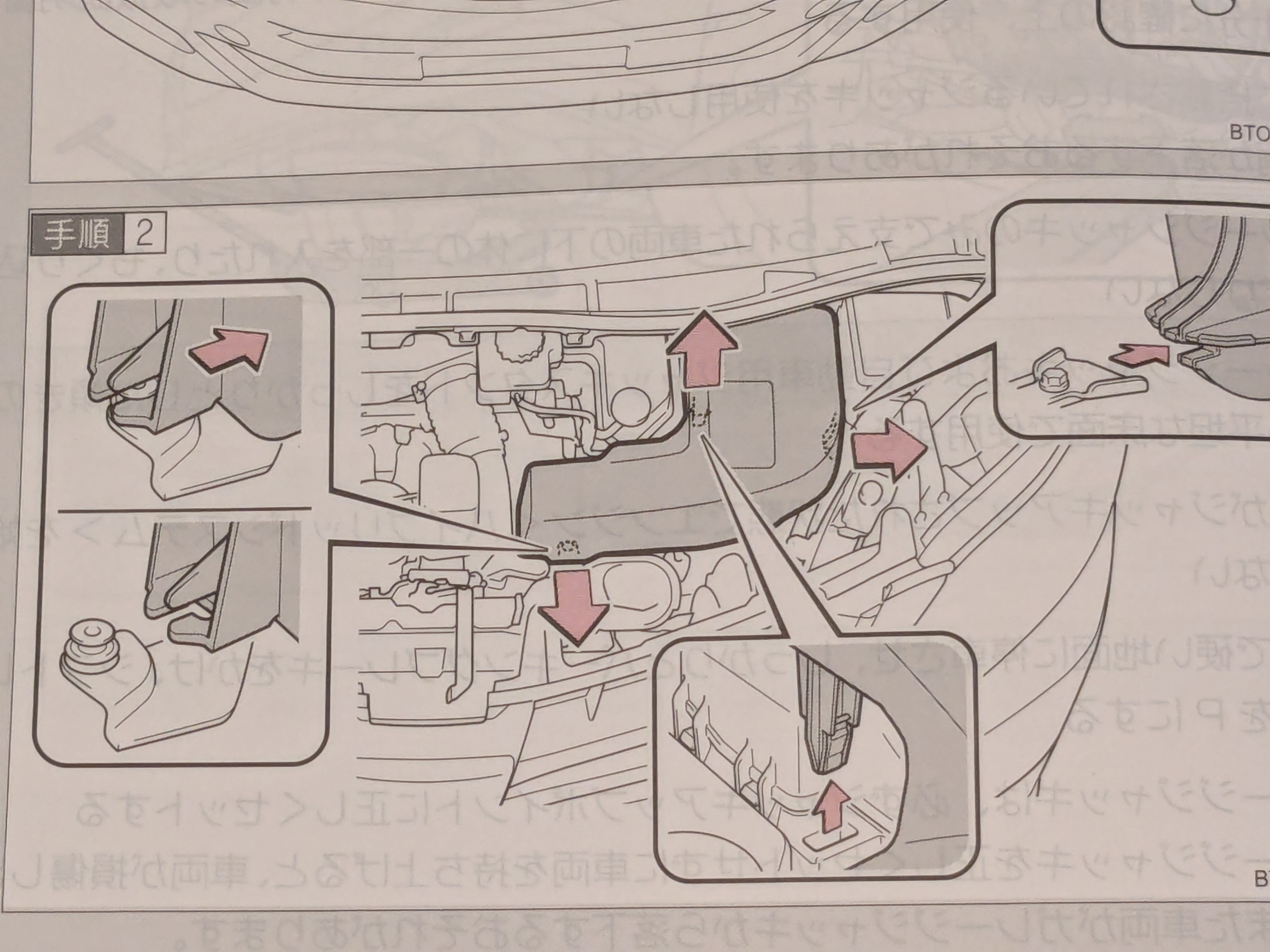
Hi all, My Alphard was scheduled for a service at Toyota this morning but rather embarrassingly I had to cancel as it has a flat battery. I have no idea why it's flat, but that's for another time. How do I charge it? The manual (the red translated one) seems a little vague and I have no idea where to put the +/- clips from the charger. Thanks for any help.
-
I would like to hear from anyone who has had problems with their ABS system eg symptoms, front or rear axle issues and fixes. This enquiry leads on from my previous post about reading error codes (which I have not yet been able to do). However , the display warnings have changed to red engine warning, and 2 amber lights: VSC & Brake. The car starts and drives, although I have stayed under 15kph. But a bug remains - a random clunk at the rear axle which varies in strength and sound. This lead
-
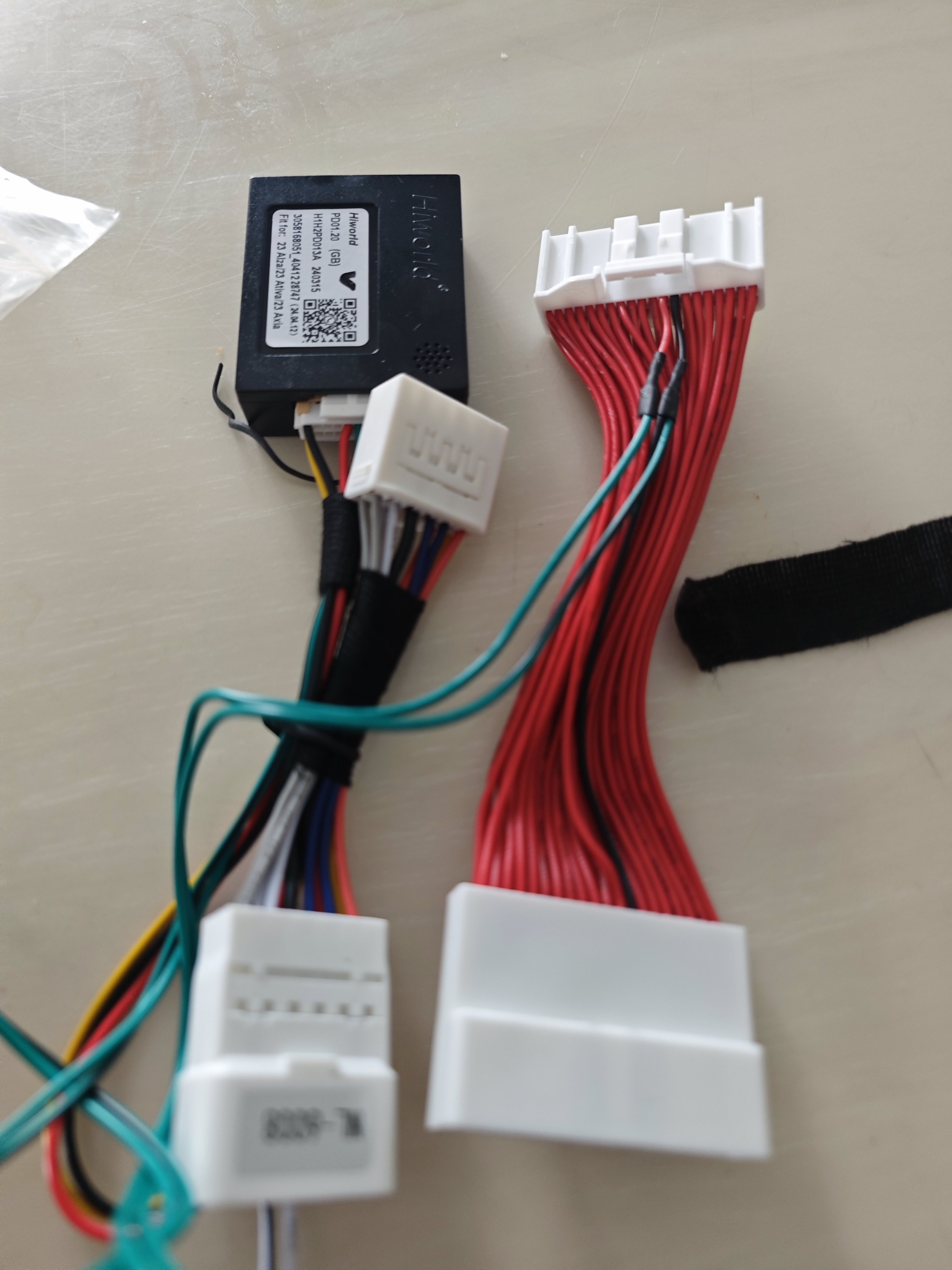
Hi everyone. I installed android player to my car since 2022. Before this I never bother about the extra function using canbus box because my car didn't come with 18 unit speaker. Last year I make a study about the function of canbus and make some modification. 1) I bought the socket for meter 40pin. This socket connect to canbus box and HU. Original for other car. 2) I change the connection point to 13&14 follow the diagram 3) then I bought canbus Toyo





Latest Alphard / Vellfire posts
-
I would like to hear from anyone whose E-four Alphard randomly changes from 100% front axle drive to engage the rear axle causing an audible clunk (often heard when accelerating from a standing start). My Alphard has always made a rear axle clunk when first accelerating. I have read this was a common criticism of 1st generation hybrids.
-
If you are able to swap in a known good battery that will be helpful. Any car battery can likely be rigged up for testing purposes - it doesn't need to be the perfect dimensions, just to make good electrical connections. AGM is better, especially if it's loose in the back (don't want flooded falling over and spilling acid, been there on a previous car...) but if you have another vehicle you could borrow the battery from that for testing, just make sure it's fully charged first and wedge it so it can't fall over. On the Gen2+ hybrids the 12v battery is not cranking the engine so it can actually be quite far gone before it becomes noticeable. All sorts of weird faults can show if the battery is on the way out... a fresh battery and a clear of codes is the first thing to try. One thing I bought recently is a USB charger with battery voltage display: https://www.aliexpress.com/item/1005004622249401.html with the aim to better keep an eye on the battery levels and catch it before it gets too low - the Alphard is much hungrier when locked than my other hybrids.
-
-
Taking a wild guess, I suppose it can't read the outside air temperature so it can't display it and E is for error. But it could be something else. If you are able to read fault codes it should tell you which module is having problems. It may just be a case of a code left over from the flat battery and clearing the codes may make it go away.
-
-



.jpg.7d1630ed0d89847d0527886b0616c34c.jpg)