Jerry_R
Members
-
Joined
-
Last visited
Everything posted by Jerry_R
-
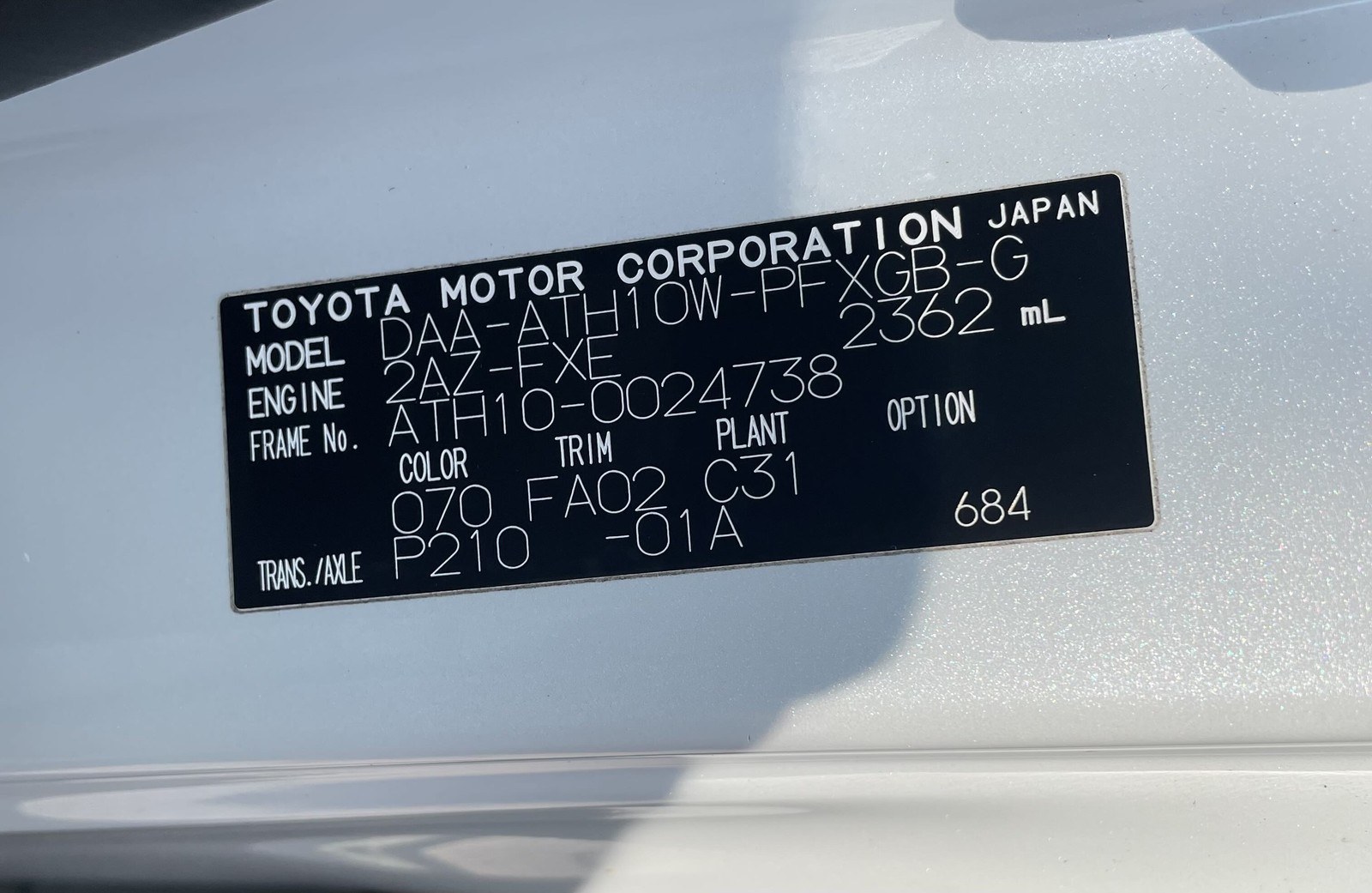
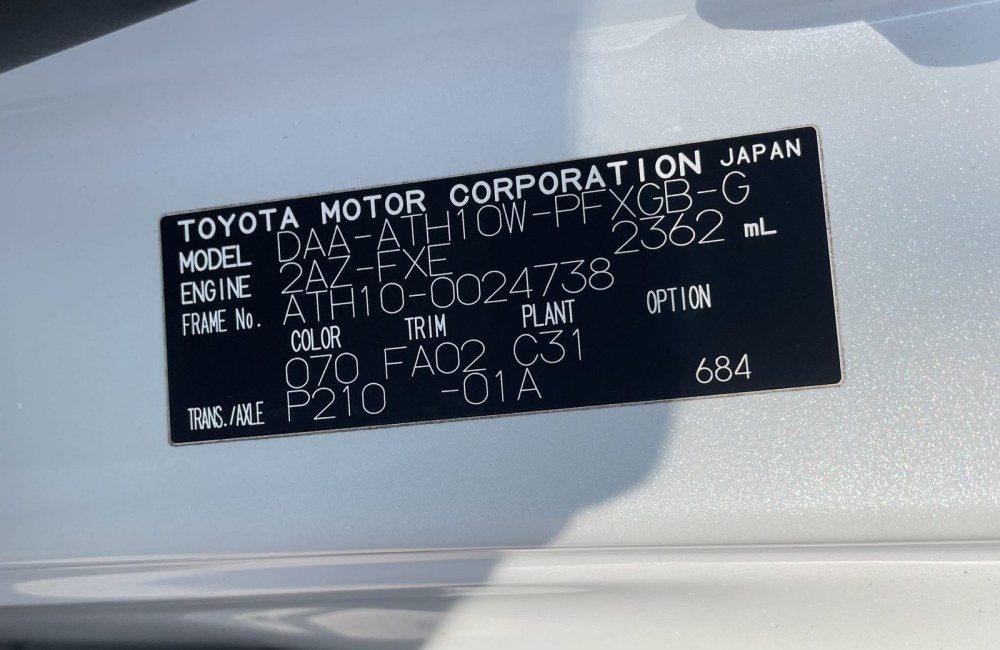
Update I've been advised to talk to Richard at CAMS in Potters Bar as they are the most local expert in this area. Anyone had any dealings with them? I spoke on the phone to Richard who seems to know what he's doing. He asked me to find a Gearbox service kit which I should be able to find online. Unfortunately I have absolutely no idea where to start with this. Does anyone have any trusted places to source this kind of thing? There seem to be various versions but can't find one that explicitly states that it is for a hybrid. Pardon my ignorance but does it matter if it is one for a 2.4 petrol alphard? Some seem to have a filter and some don't. I've attached the VIN plate to help identify the version if that helps.
-
Hi there My Alphard Hybrid 2.4 2006 Camper conversion developed an intermittent gearbox issue on a recent run up to the lake district. After a few long days of driving and a few very steep hills the gearbox would crunch when changing down, usually at low speed in low gears. It did it for a couple of days and hasn't since apart from on one or two occasions. This is a new thing as it hasn't missed a beat in the 10 months we've own it. The box does seem a little noisier or maybe I'm just noticing engine noise more now? The garage that has looked after the van for the last 6-7 years said they wont touch the gearbox. Is this a common issue? Has anyone got a recommendation for a specialist who could take a look in the London Essex area? I saw someone recommending Rainham Motors...has anyone used them? Thanks
-
Hi there New to this forum and to the alphard so hello! We bought our Alphard camper conversion a few months ago from friends of ours who used it as their daily driver. Now it mostly sits and gets driven a couple of times a month at most. My partner went to start the camper tonight and set the alarm off as she used the wrong fob to deactivate the alarm (we have the optional toyota fitted version with the triangular sensor/LED thing on the dashboard). Now we can't deactivate it as the battery is flat. The van is sat making a loud ticking noise....which I assume is the alarm trying to sound but as the battery is flat it can't. When I tried to turn the ignition hoping to cancel it, there was very feint flashing of the dash lights and the interior mood(?) lights and the tick stopped but as the engine couldn't turn over it returned as soon as the key was removed. If I leave it like this any idea if it's damaging anything (apart from my nerves) and will it just go on until the battery is toatly dead? Please help with how can I fix this? Preferably without annoying the whole street. Should I remove the barrty and charge it? Where is it? Is it the one between the front seats or is that the leasure battery? This is the second time the battery has flattened so I'm thinking that there might be a drain somewhere and/or I need to get a new battery though this one is less than a year old. I'm usually pretty good with cars but this is our first hybrid and camper conversion and there's a fair bit to get my head round. Thanks!