Wisey
Members
-
Joined
-
Last visited
Everything posted by Wisey
-
Try these from eBay, item no. 276103029649
-
I purchased this screen cover from EBay, item number 112852803198, around £45, over 3 years ago, lots of use and still very good.
-
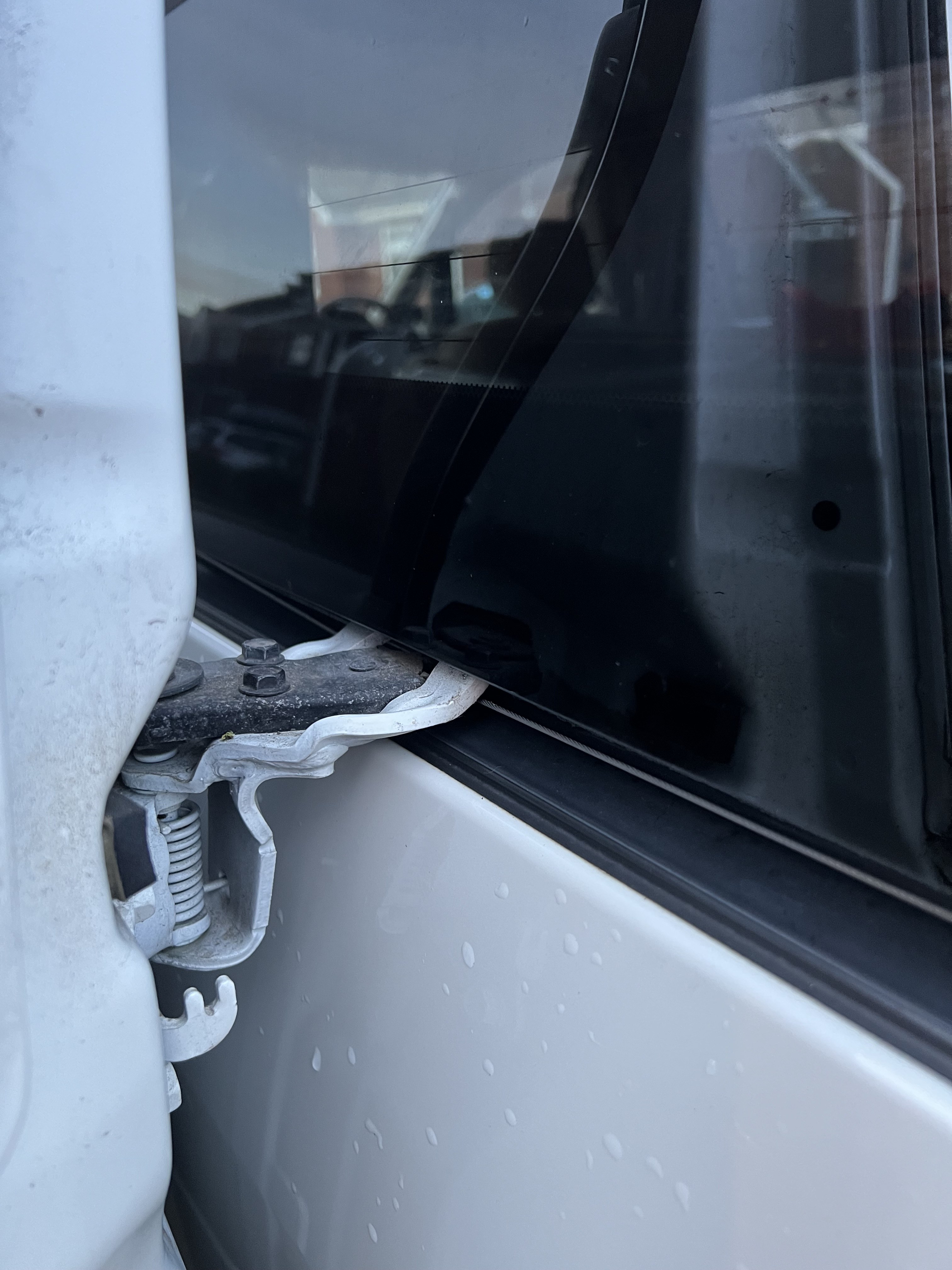
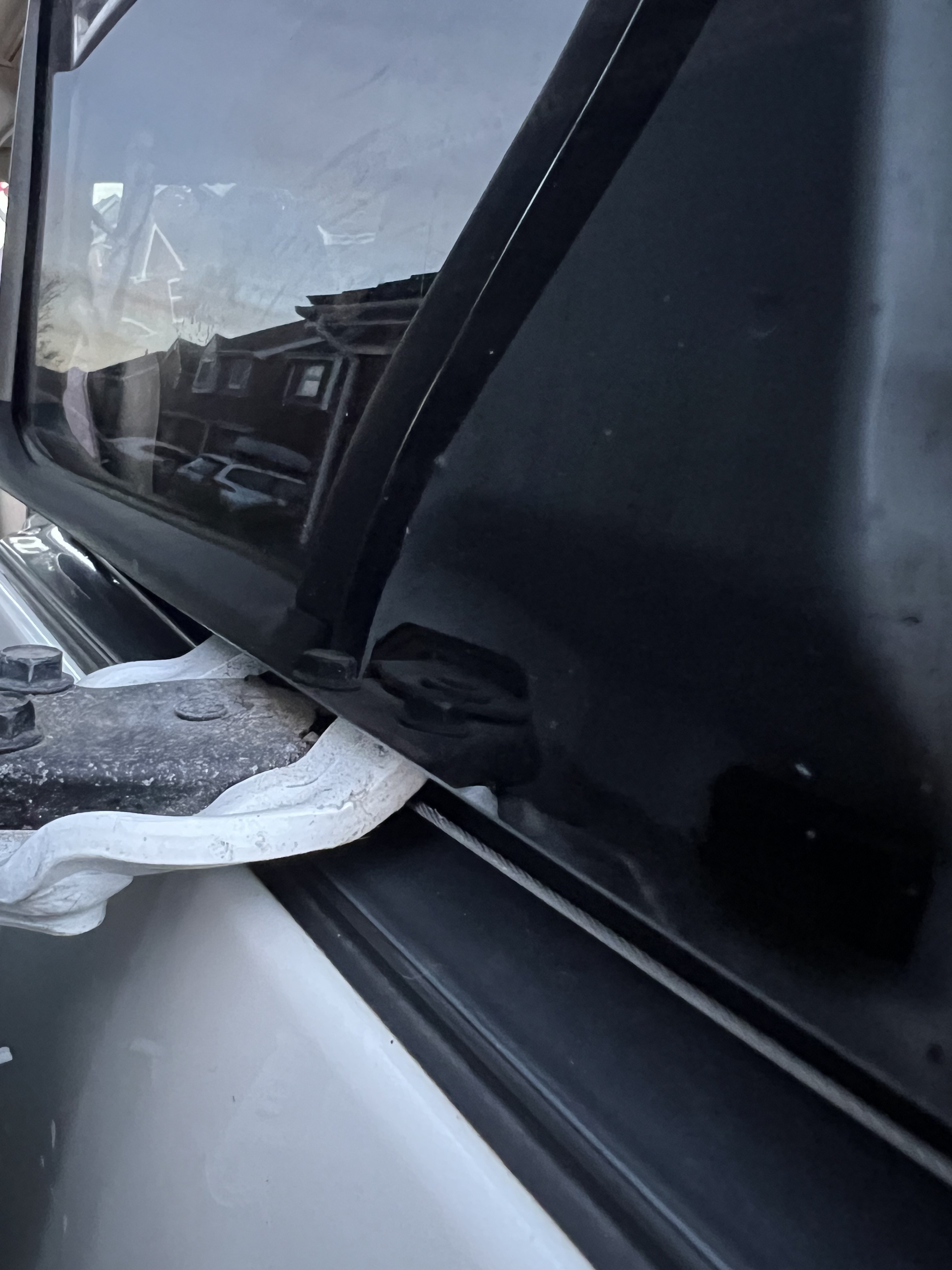
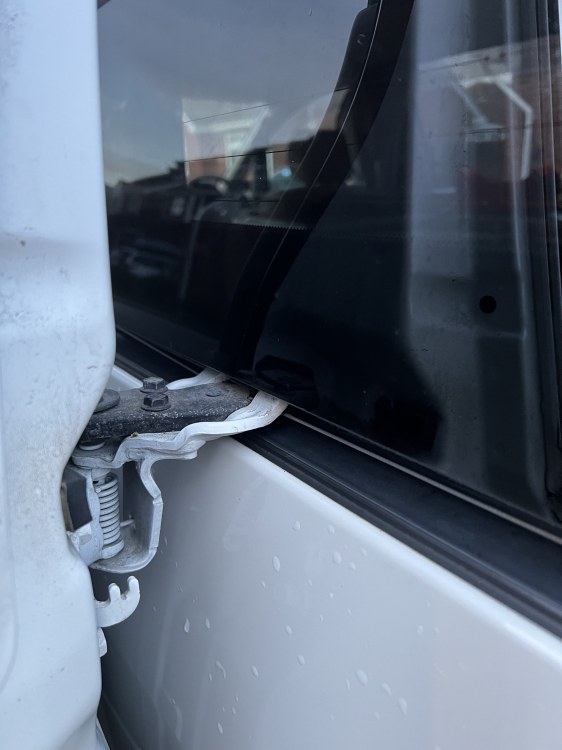
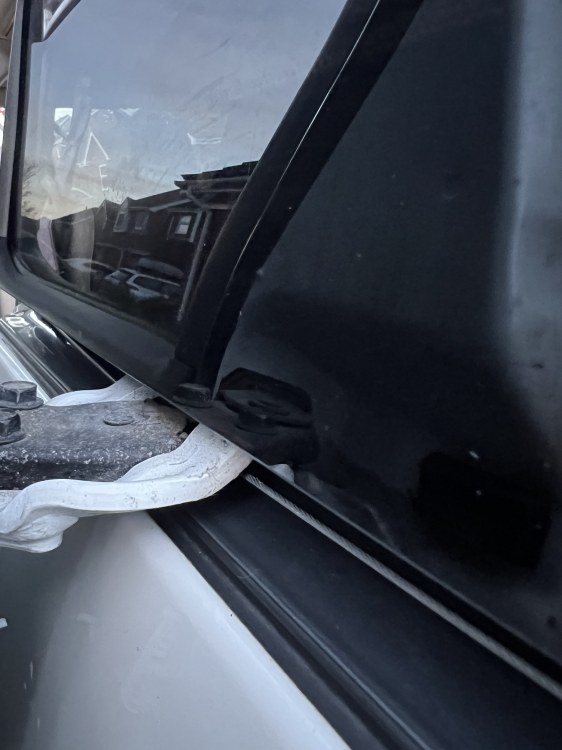
Thanks Lee, ANH15-0042952 I think? I’ve cut and removed the cables and now working fine manually, it looks as though it jammed in the black bracket attached to the door as shown on my previous pictures. I will get the parts and see if there’s anyone locally (North Essex) who could fit them for me.
-
Thanks Barry, that’s what I’ve done for now.
-
Just had a look on YouTube and see that the main mechanism is in fact inside the door and diy replacement looks pretty straightforward. Famous last words!!
-
Yes, it certainly seems to be the case. I’m thinking to try and release or cut the cable so that I can at least operate manually? It looks as if the cable runs inside the car under the rear window? Access doesn’t look easy?
-
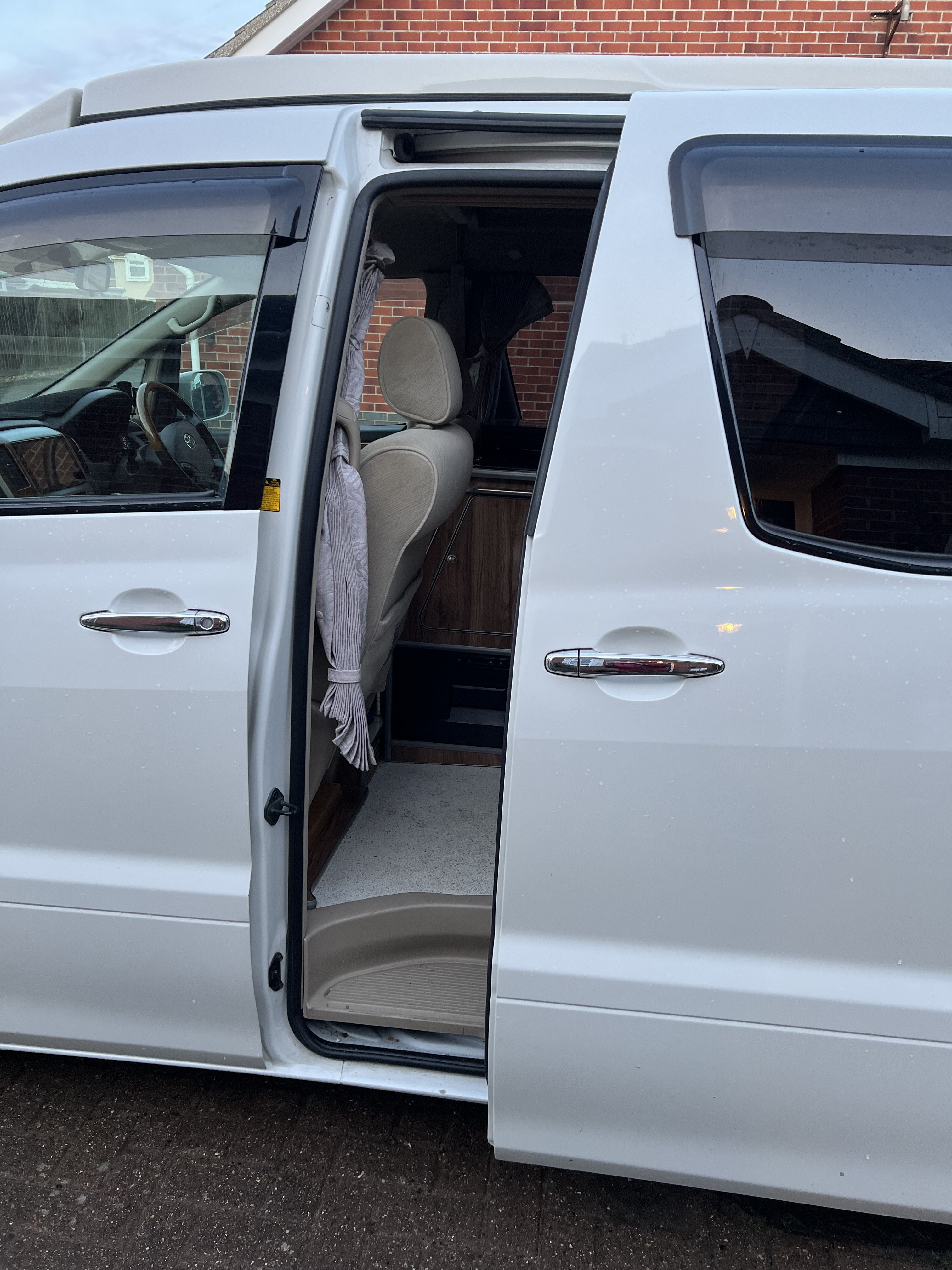
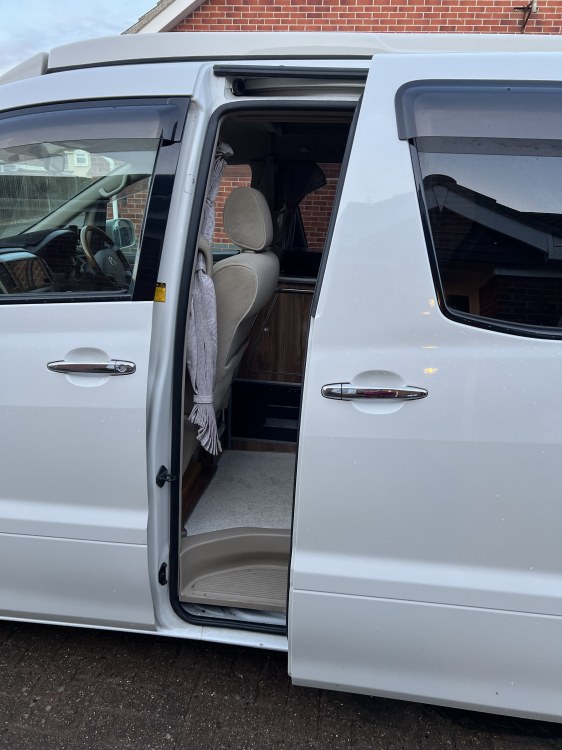
Good day all, the near side electric sliding door on my 2007 2.4 Alphard just jammed while opening, it’s completely stuck and won’t operate electrically or manually with the power switch turned off at the dashboard. It appears to be the right hand middle runner that’s giving the problem as per the photos. It has been working fine up until now. Any thoughts on how to fix it or override the mechanism greatly appreciated. Thanks, Alan
-
Hi Michael, I have a JP700 wotsit in Clacton that I would be happy to help you with if you could come over. We are away until Monday evening but I will be around from Tuesday onwards. Alan
-
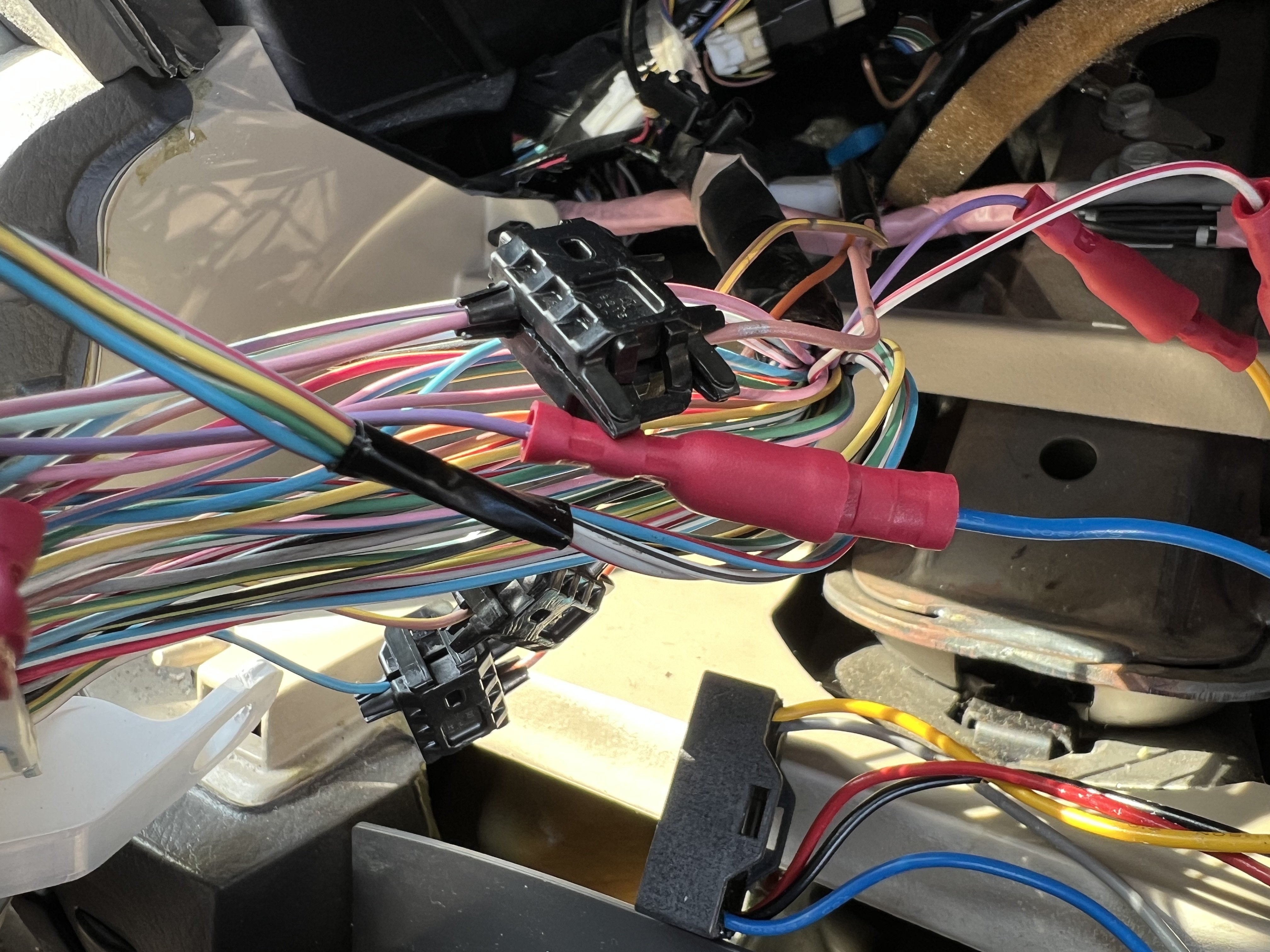
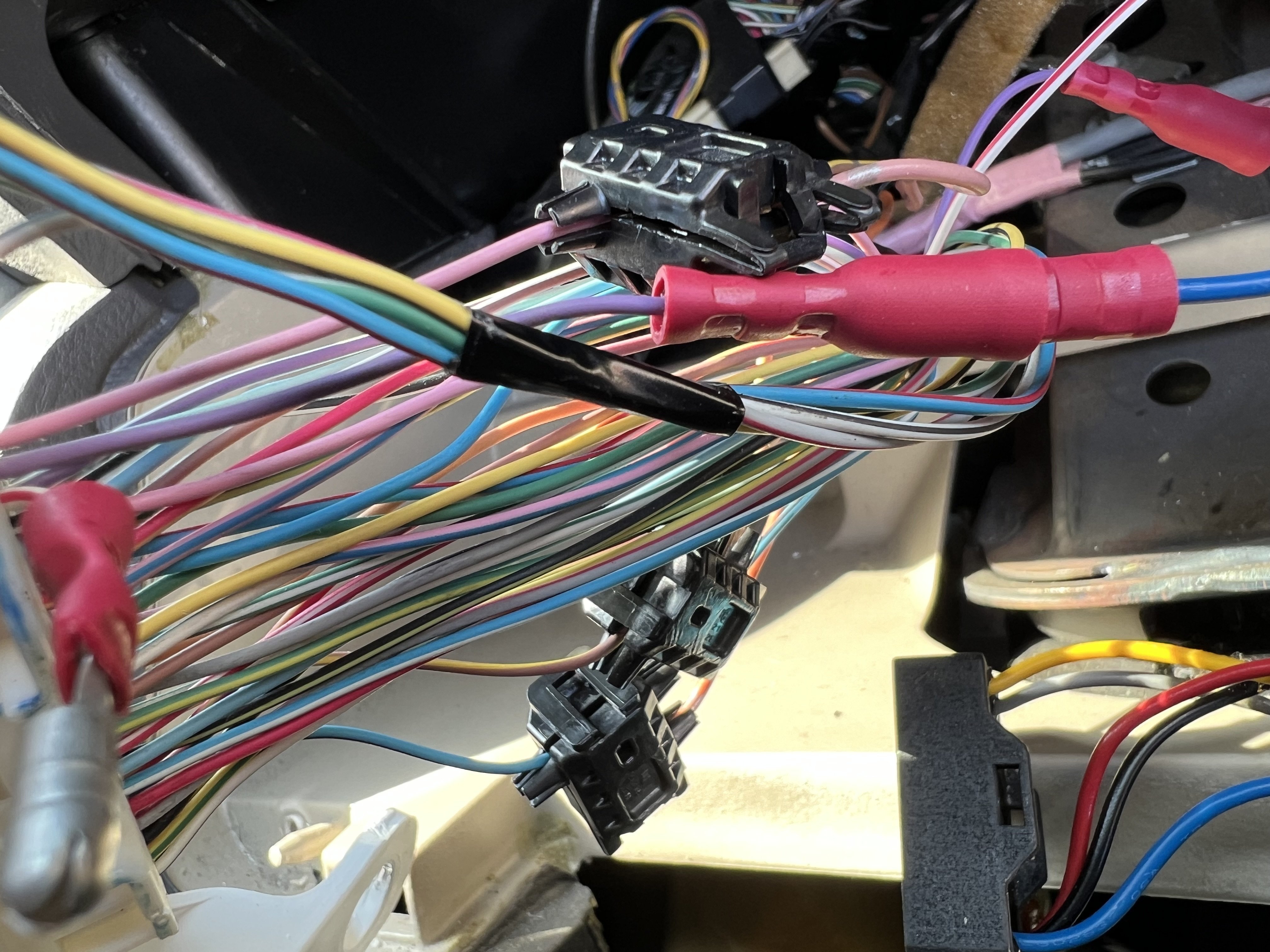
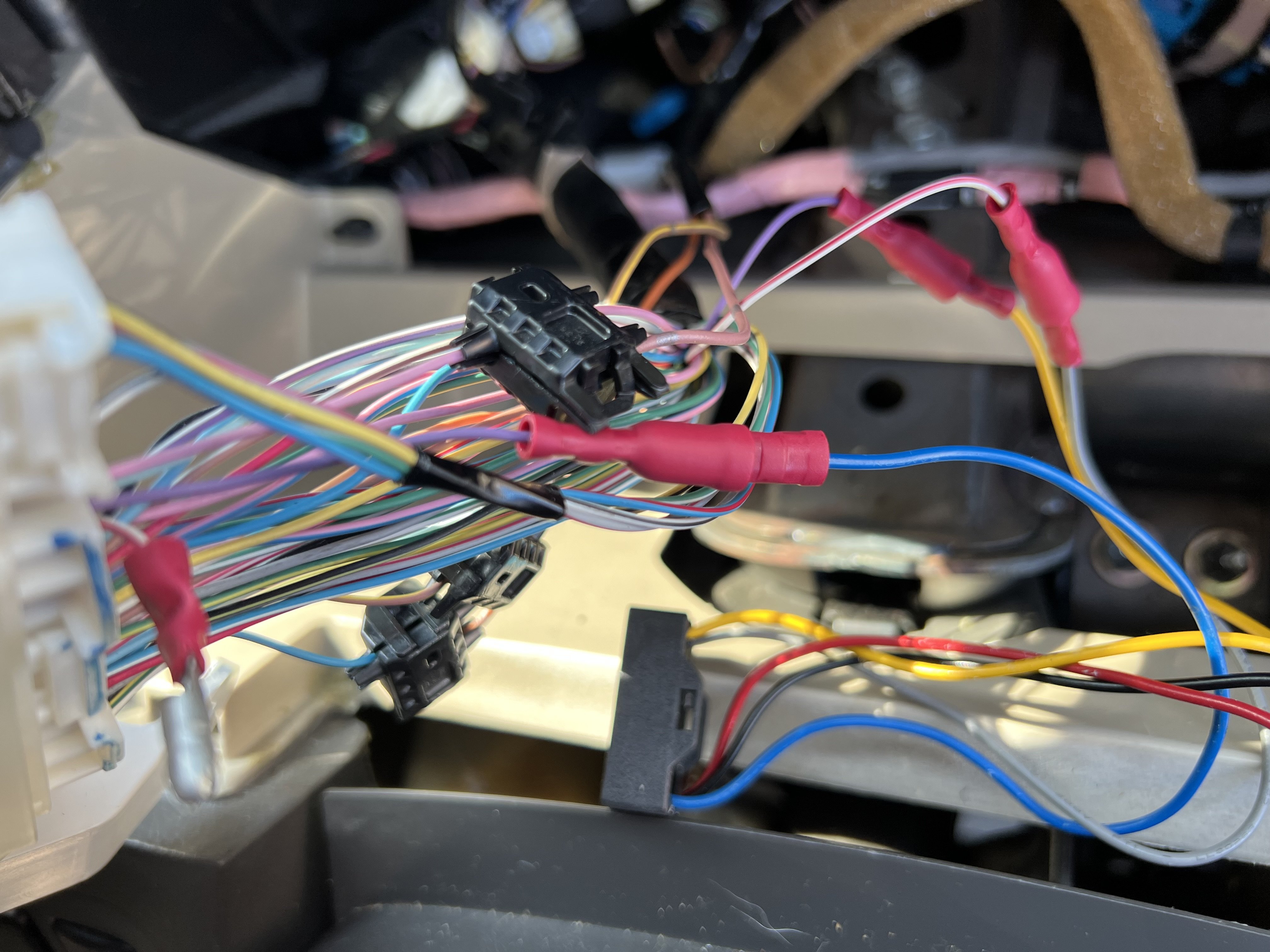
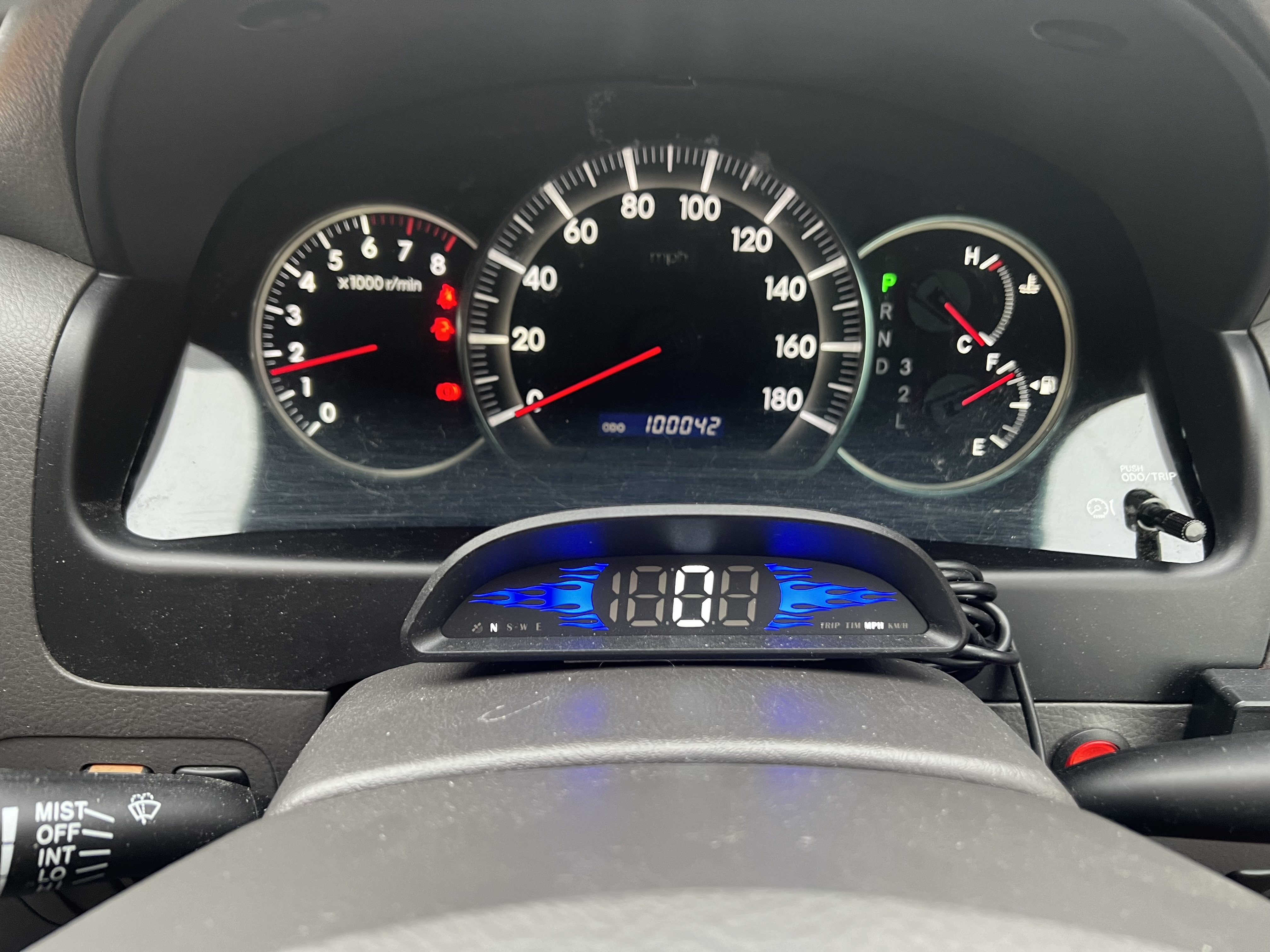
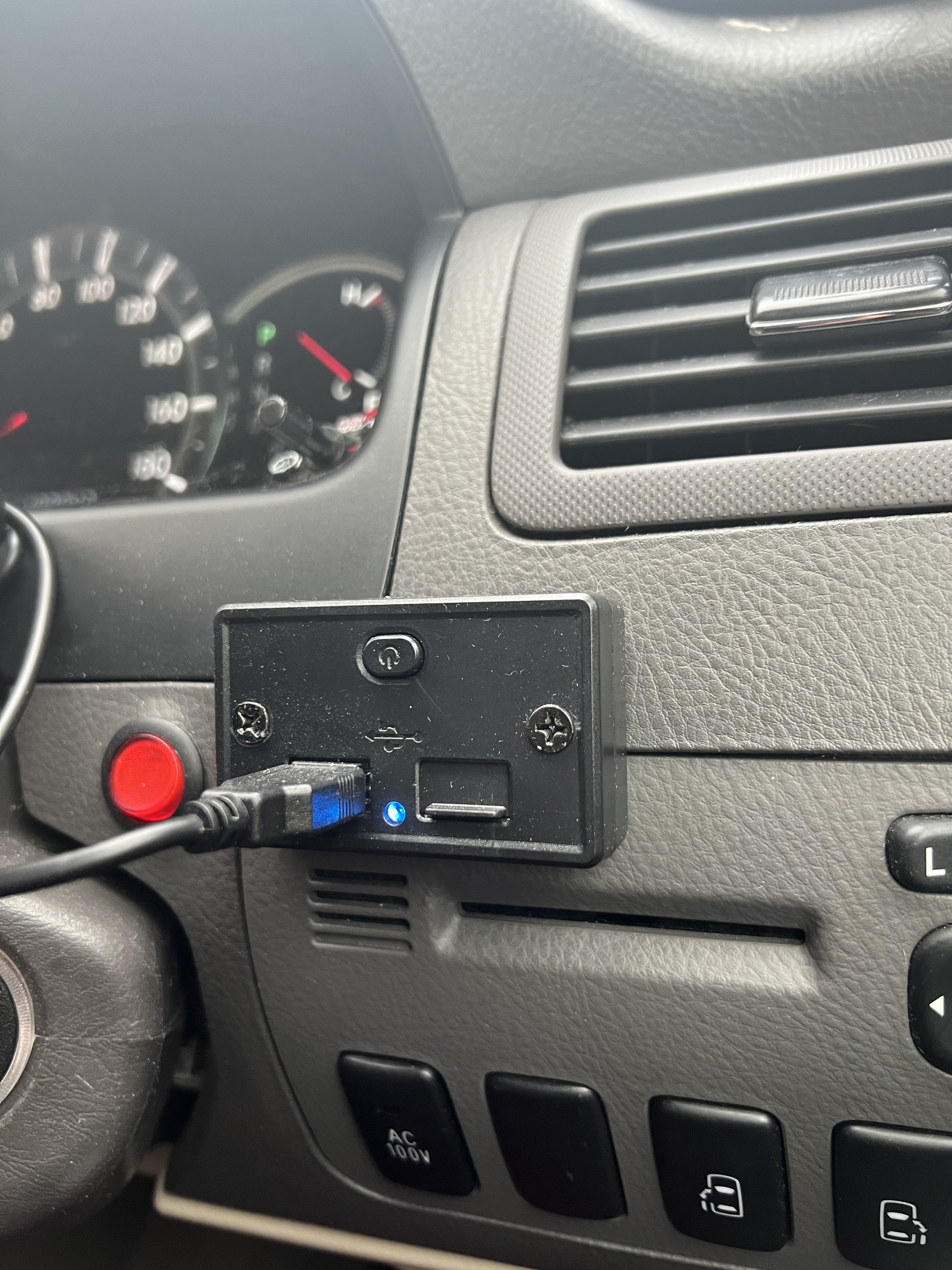
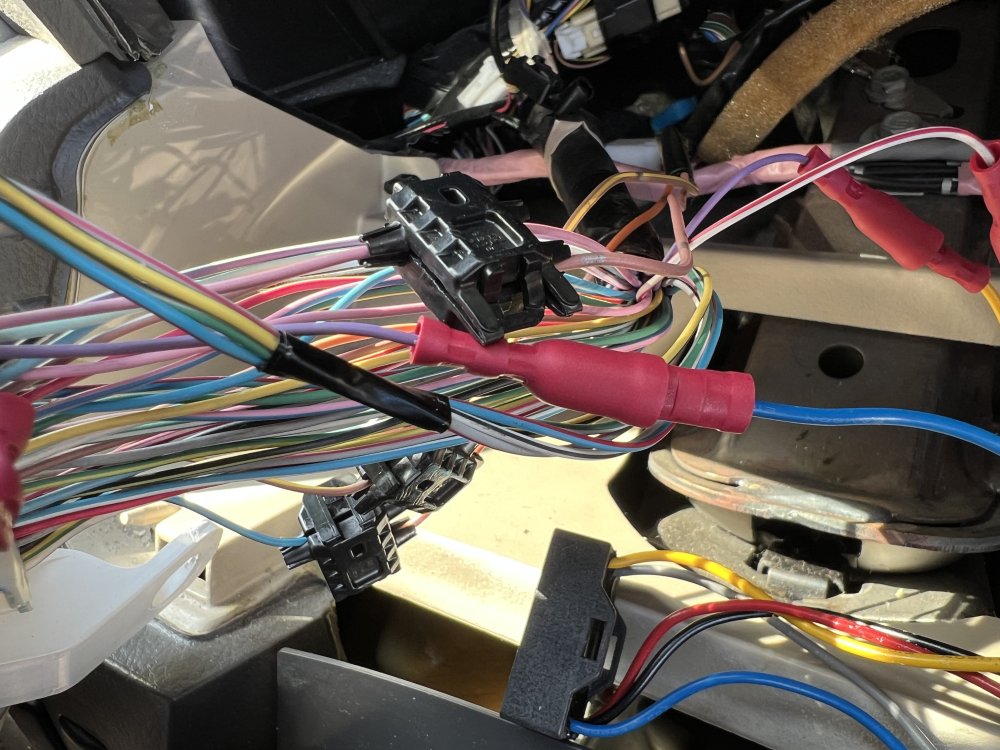
Hi Abbot, I had a problem with my speedo chip and eventually removed it, installed a GPS digital mph speed instead and reinstated the kph speedo. However, I took some photos of the wiring just in case I needed to replace the chip which I’ve attached in case useful for you.
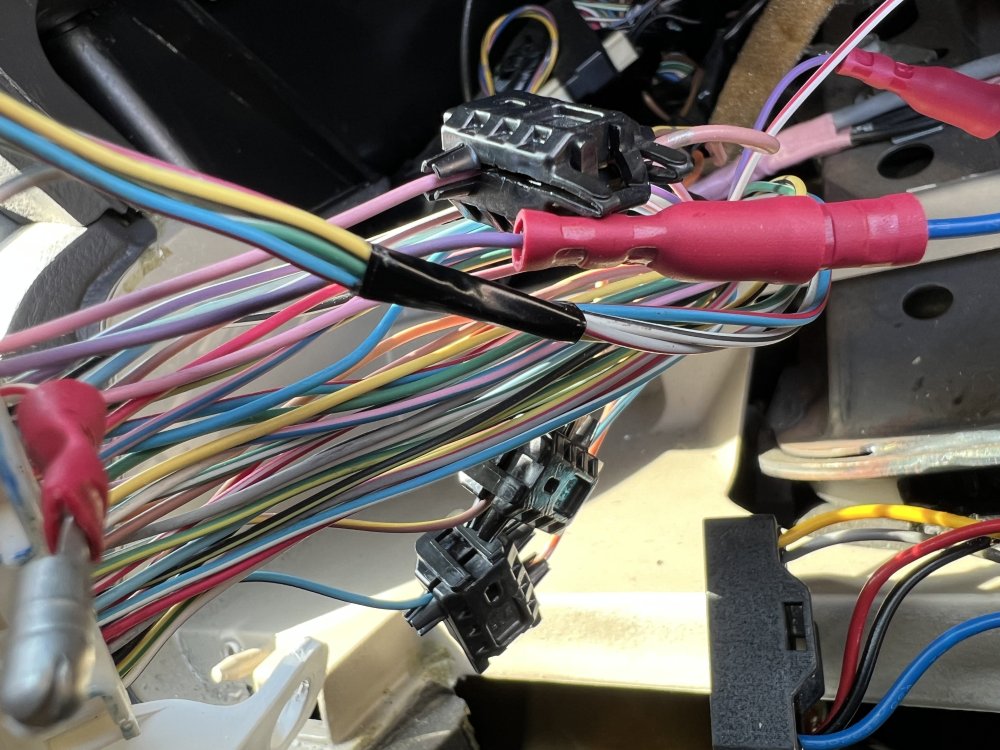
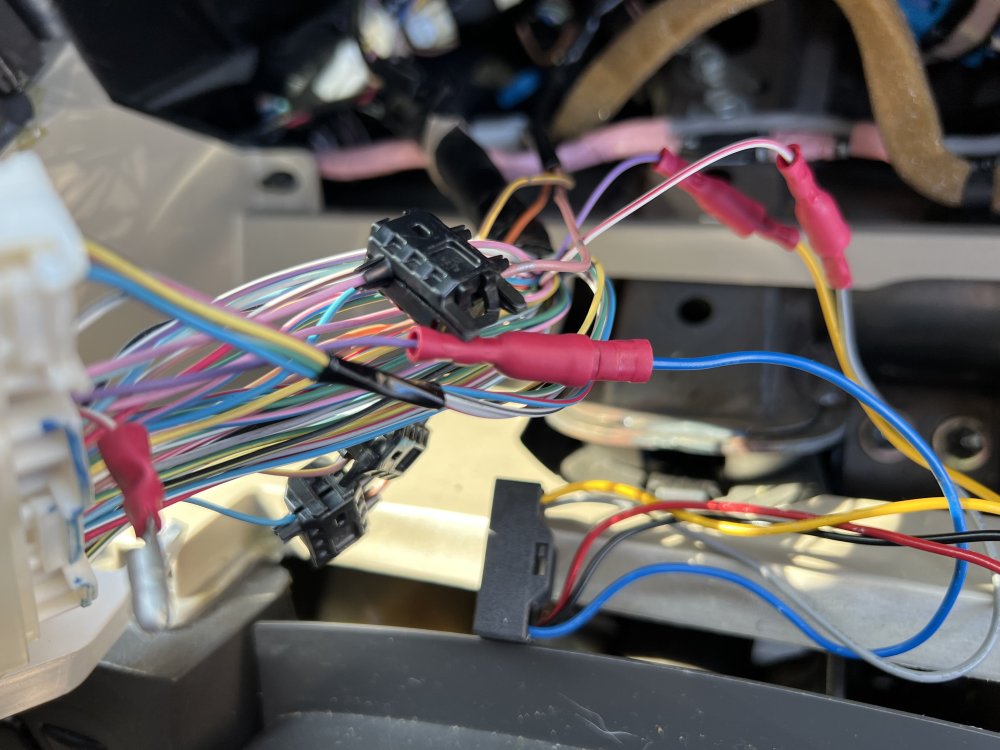
-
….thanks guys, sounds like an option I should pursue.
-
Mine are becoming tatty, I am thinking of getting a new set from Wolfrace for around £500.00. I haven’t considered refurbishing the existing set, how much does this cost, approximately? Thanks, Alan
-
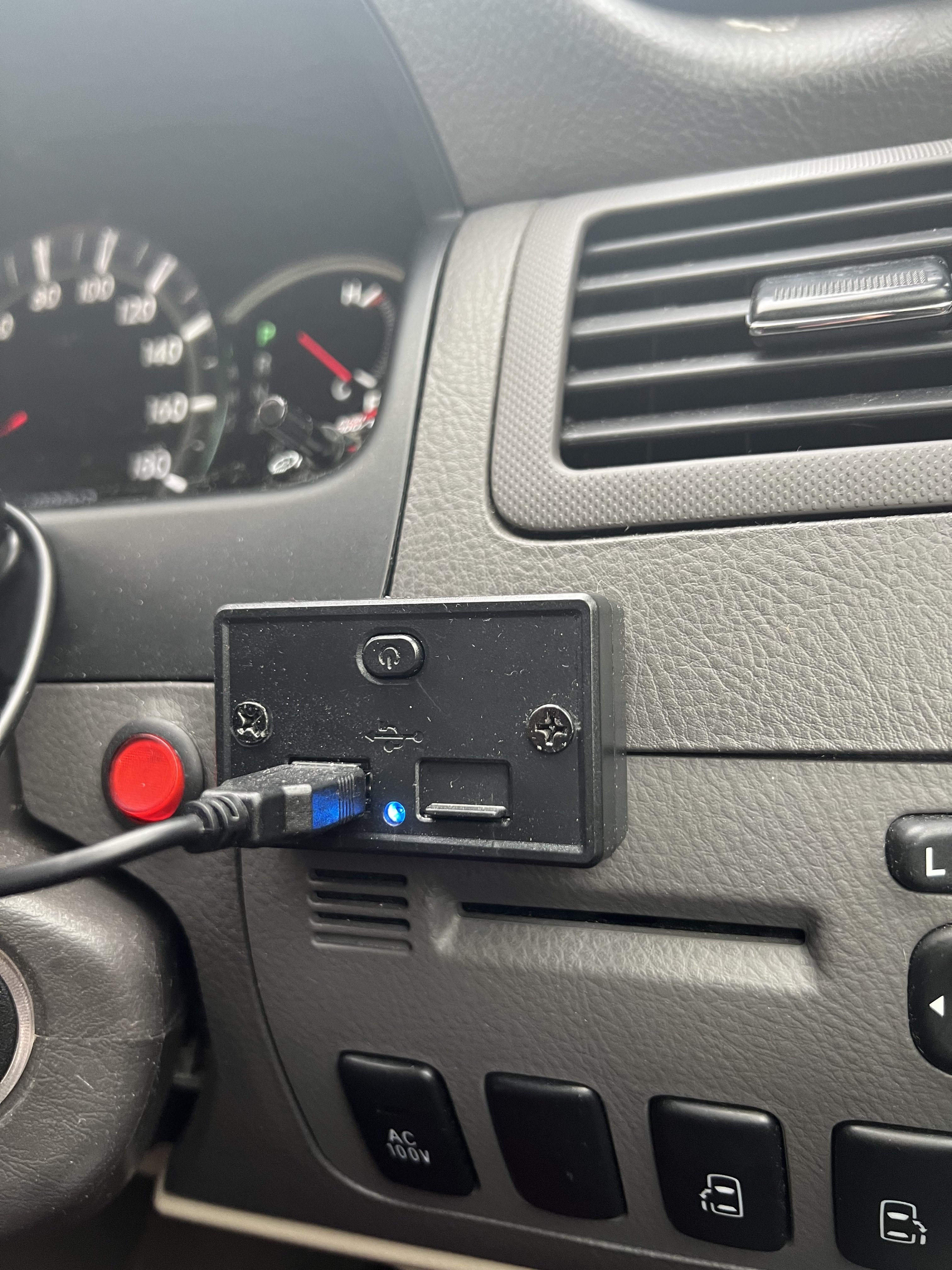
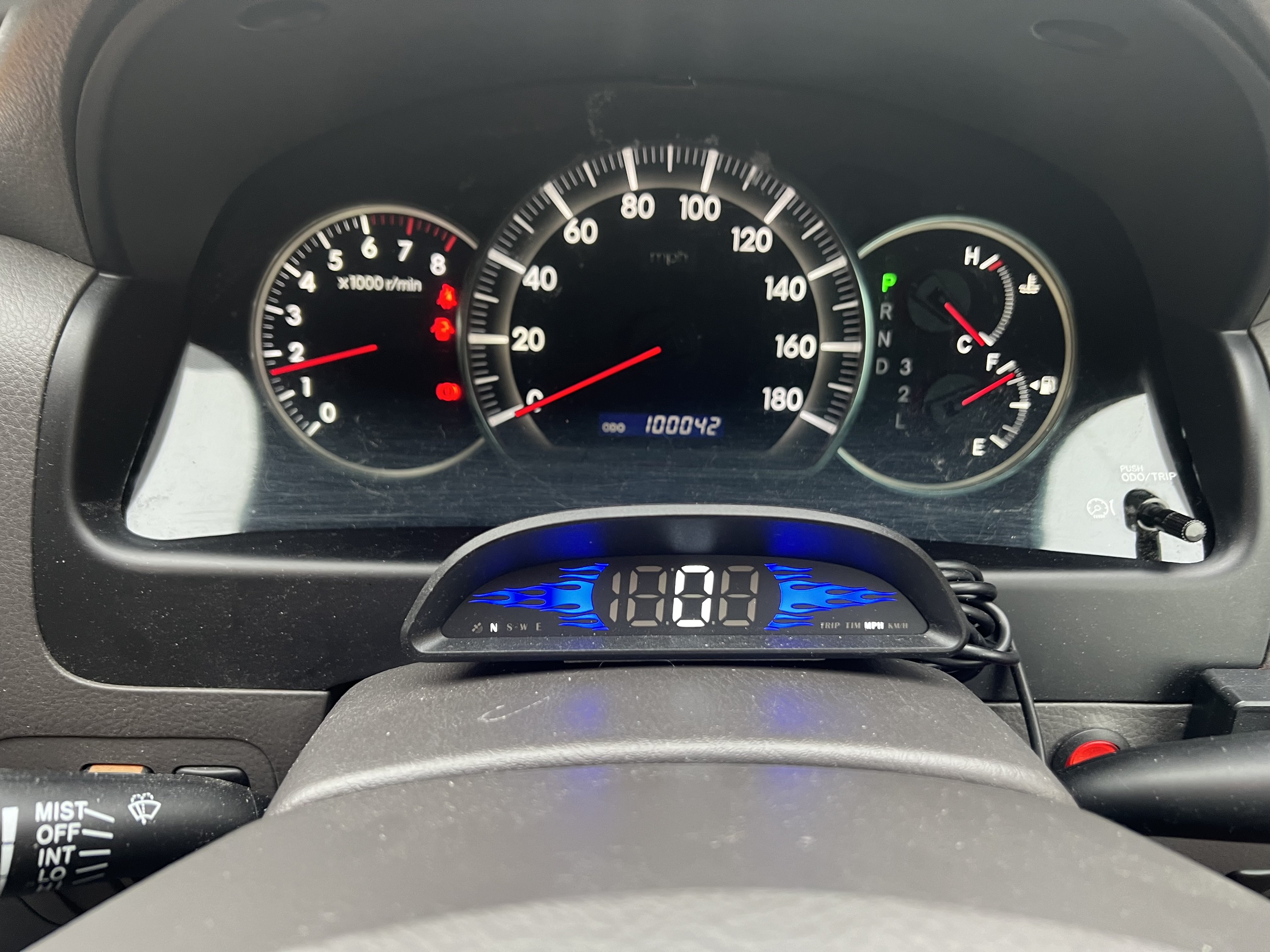
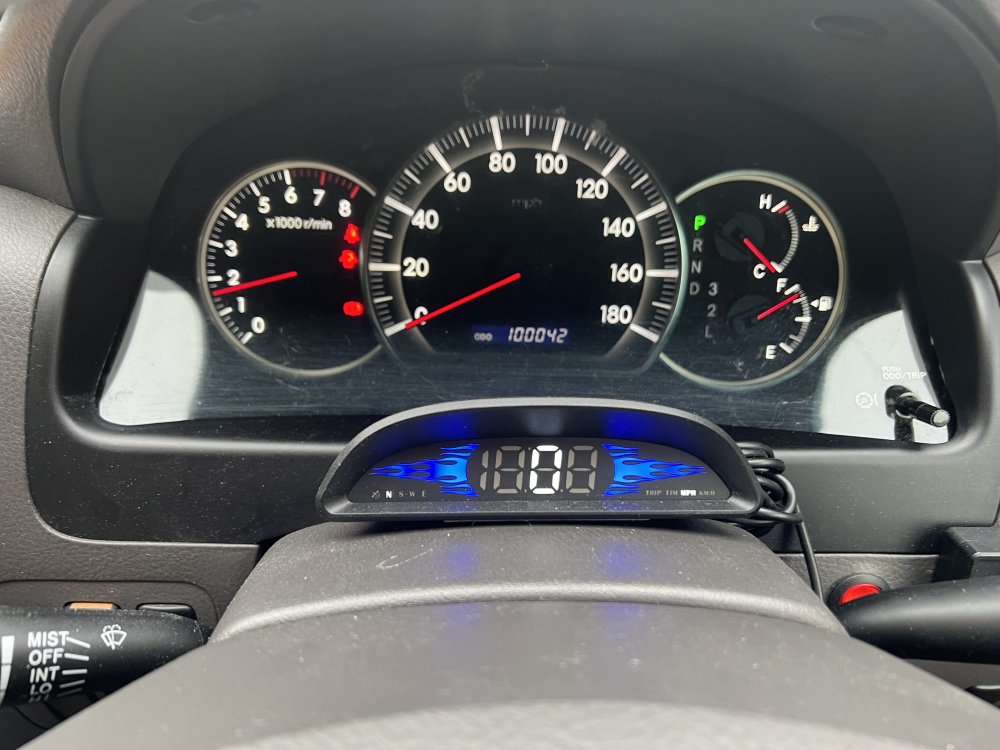
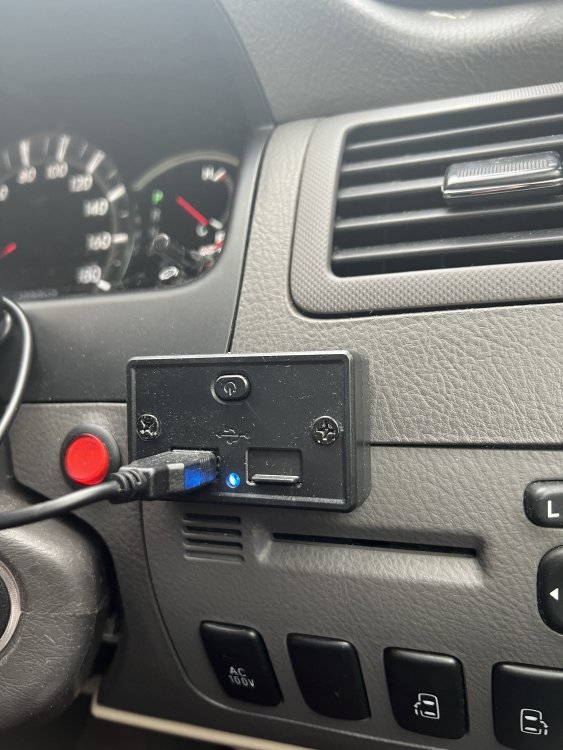
Hi, I had a similar problem and decided to remove the chip and reconnect the speedometer to read Kph. I used the power supply to the chip to wire in a USB socket into which I connected a digital GPS speedo, all from Amazon. See the pictures, it works very well and didn’t cost very much.
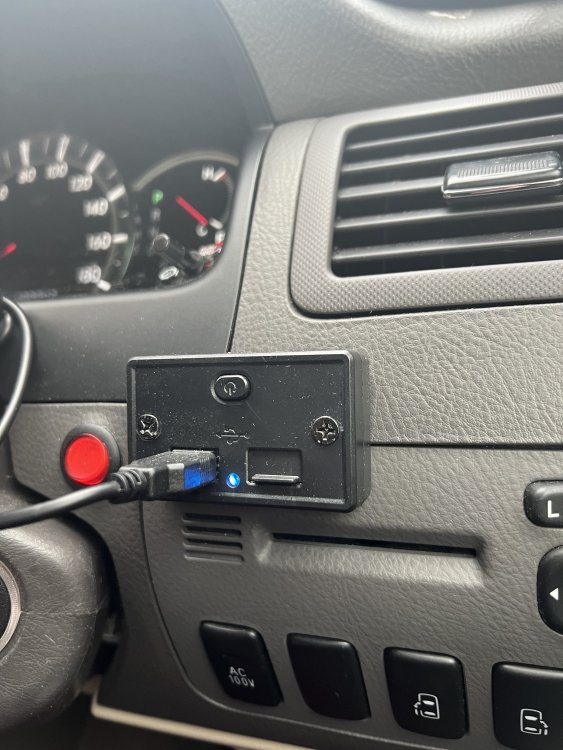
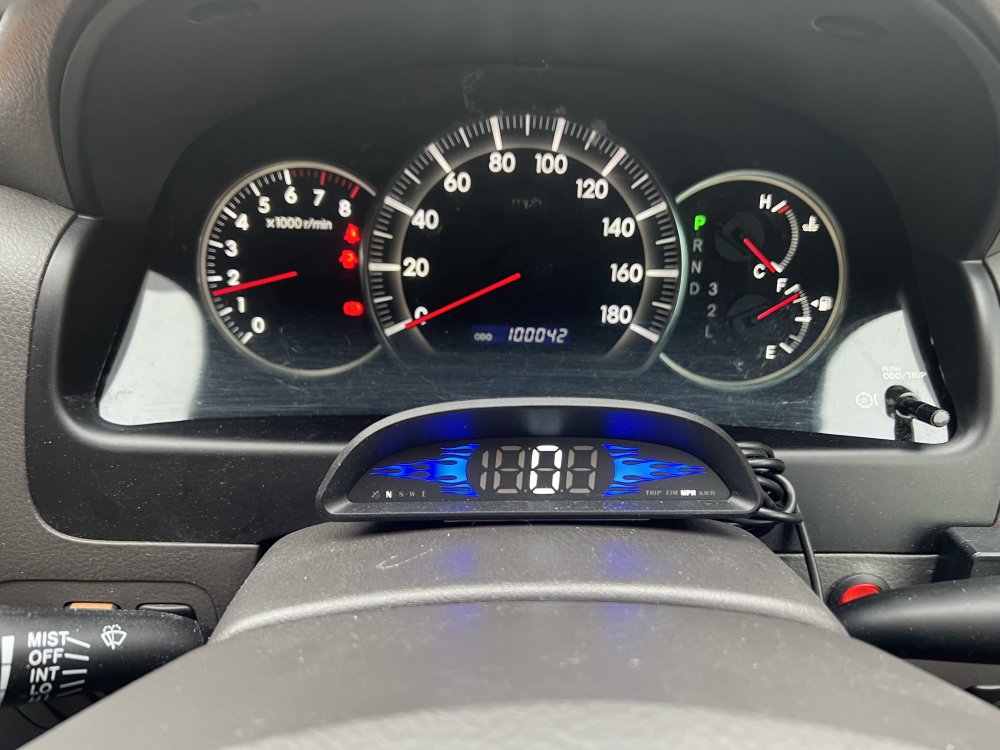
-
I purchased this unit from eBay, supplied and fitted by the seller in Reading. Very pleased with it, I use the CarPlay feature most of the time. https://www.ebay.co.uk/itm/126539886322?mkcid=16&mkevt=1&mkrid=711-127632-2357-0&ssspo=i3ugQjD7R_S&sssrc=4429486&ssuid=_ba9KNFcTRC&var=&widget_ver=artemis&media=COPY
-
Hi Wozzer, yes, I had the same problem when I had disconnected and reconnected the battery, check out Toyota idle reset on YouTube.
-
Good evening, I had a similar speedo fault on my 2007 2.4 Alphard and after changing several sensors found the fault to be the retrofit chip fitted to the speedo to convert Kph to Mph and so I reconnected the original wires which gave me Kph speed and Kilometre odometer. I used the power supply to the chip to power a new USB socket and fitted a GPS Mph speedo from Amazon. It works really well, easy to fit and everything cost less than 40quid. Alternatively, you could fit a new chip, a few available from £30 to £90. See the pictures, hope this helps. IMG_2610.mov IMG_2610.mov
-
My 2007 Alphard has similar wear symptoms at 60k, particularly with the blower control and so I wouldn’t be unduly worried about it.
-
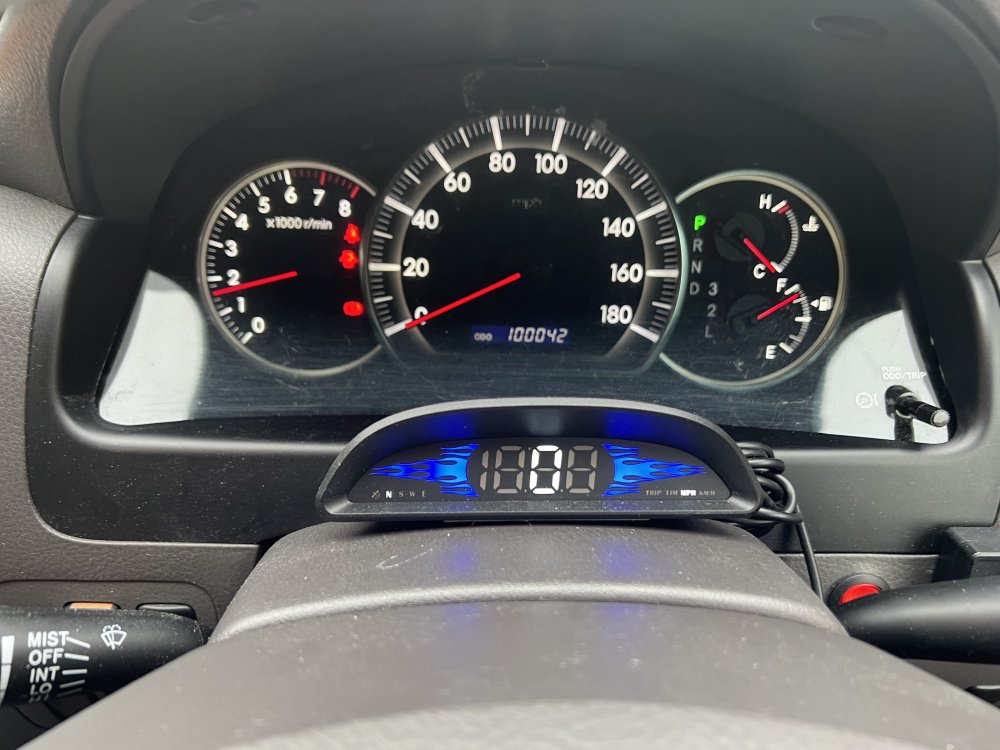
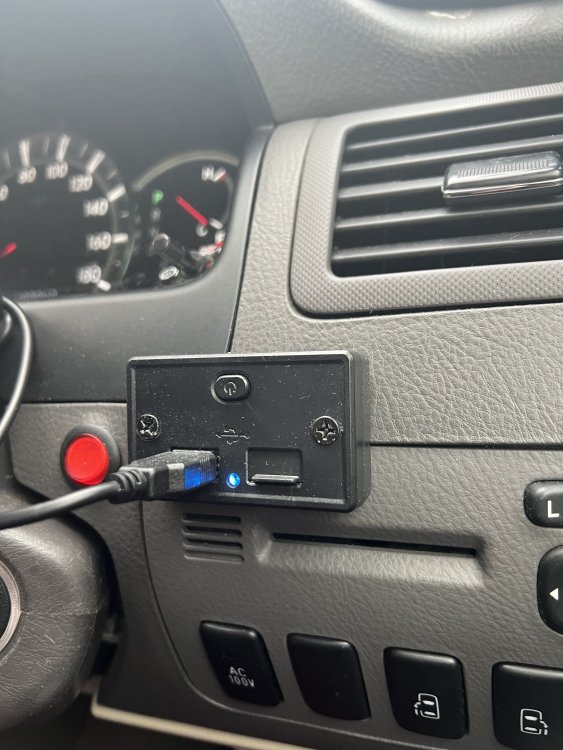
The tacho didn’t stop working, only the speedo. I found the problem to be the retrofit chip by completely removing it and reconnecting the wires, the speedo then worked perfectly well but in Kph. I decided to leave it that way and used the power supply to the chip to fit a USB socket beside the binnacle and connected a neat little GPS digital speedo on the steering column to read in Mph. Perfect! I can let you have some photos if I knew how to download them (URL?) Hope this helps, Alan
-
Hi Bob, I can’t help with your overheating issue but I invested in an ANCEL JP700 diagnostic device which works very well for my 2007 2.4 Alphard. I imagine it would also be suitable for a hybrid vehicle. Alan
-
Being a mechanical engineer that sounds far too technical for me to undertake but I do see your point about the ABS ECU, is this easy/ inexpensive to change? Maybe I should also remove the speedo cluster to see if something has simply come adrift?
-
I guess so, both located below the battery tray, part number 8941324010.
-
Speedo not working, update: Changed both speed sensors today but speedo still not working and engine management light still appears after a few seconds and the same fault code, P0500 given. Also, engine idling very slow, almost stalling and gear changing seems a bit erratic but still drivable. Obviously I’ve made the situation worse, any clues as to how or why? I’m still planning to be at Gaydon meeting on Sunday and hopefully get some clues as to why and how to fix from others there. Cheers, Alan
-
Not me!🤪
-
Hi Kristoff, we were at last year's meet and we simply told the ticket sellers on the door that we were with the Alphard group and they reduced the tickets to £10.00.
-
We have personal plates and always use platesforcars.co.uk Great service lots of styles to choose from and we’ve never been asked for anything to prove ownership.
-
…..and it would certainly help to find those who have helped out on the forum or with whom you have a common interest.