



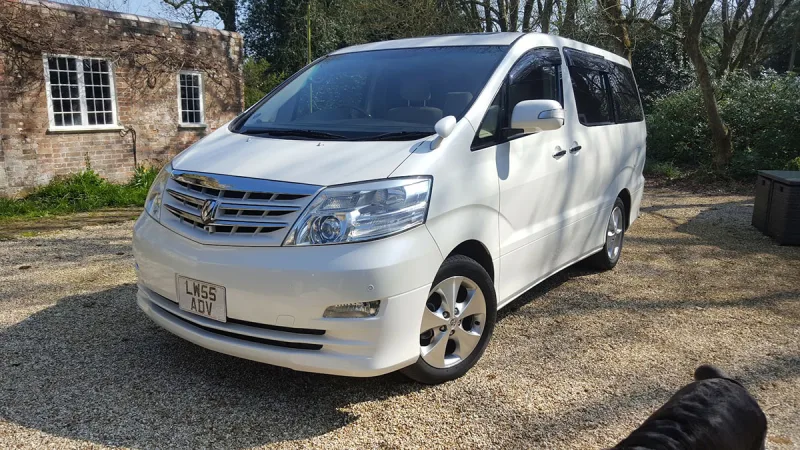
OC’s Review Summary
Clutha’s 2002 2.4-litre Alphard campervan conversion has exceeded expectations, earning top marks for comfort and reliability. It is also praised for being quiet, spacious and practical. Despite rating it 9/10 overall and for recommendation, Clutha would not buy another and is considering a change: their partner now prefers hotel or B&B stays, making a second vehicle harder to justify.
AI-assisted · Based on this owner’s answersRead the owner’s words ↓
Ownership in four questions
How it feels
Overall owner feeling
9/10
Love itPeace of mindNot supplied
ConnectionNot supplied
EnjoymentNot supplied
What feels right
ComfortableReliableSmoothQuietRelaxingRefinedPracticalEffortlessWell-builtStylishSpaciousFamily-friendly
What’s it like to drive?
On the road
Comfort10/10
Performance9/10
Interior quality9/10
Everyday ownership
Reliability10/10
Running costsNot supplied
Practicality9/10
Value for money9/10
Who does it suit?
Who the owner thinks it suits
Comfort-focused drivers
How they use it
Commuting
Why they chose it
Styling
- Vehicle mileage
- 60,000–100,000 miles
Would they buy again?
- Would recommend
- 9/10
- Would buy another Alphard
- No
Their ownership journey
- Current ownership stage
- Thinking of changing it
- Expectations
- Better than expected
- Relationship with the car
- I like it more now
- Bought with head, heart or both?
- Both
What is pushing you towards a change?
Selected by the owner in the survey
THE OWNER’S REVIEW
In their own words
Sadly we bought a campervan conversion, now better half wants more comfort, ie b&b or hotel (it’s her age).
Struggling to justify keeping it as 2nd vehicle. So big decision coming.
DEALER EXPERIENCE
The main dealer
Not visited
This owner did not visit a main dealer. Dealer experience is separate from the car’s score.