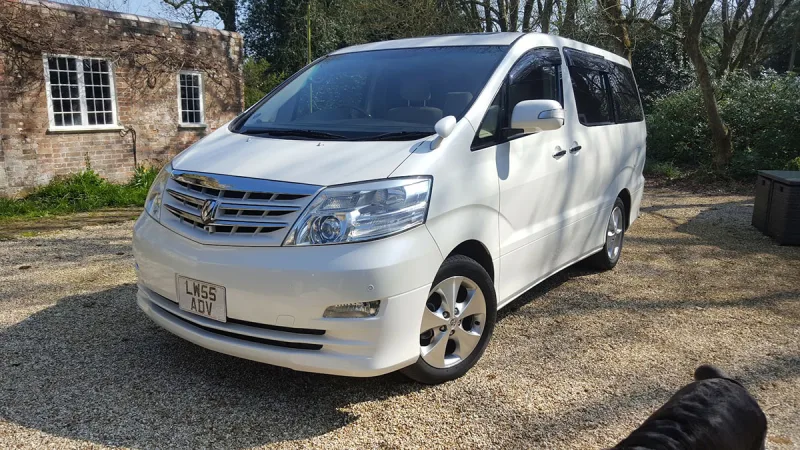
OC’s Review Summary
Spaciousness and comfort stand out for Mary999, who describes the 2005 Alphard 2.4 as solidly built and comfortable for drivers and passengers. Used for family life, local trips and longer journeys, it earns high marks for reliability, practicality and value. Running costs are rated more modestly, while interior quality scores lower than comfort. The long-term owner still enjoys and trusts it, and would buy again.
AI-assisted · Based on this owner’s answersRead the owner’s words ↓
Ownership in four questions
How it feels
Overall owner feeling
10/10
Love itPeace of mind4/5
Connection3/5
Enjoyment4/5
What feels right
ComfortableReliableSmoothFamily-friendlyWell-built
What’s it like to drive?
On the road
Comfort9/10
Performance8/10
Interior quality7/10
Everyday ownership
Reliability10/10
Running costs5/10
Practicality9/10
Value for money9/10
Who does it suit?
Who the owner thinks it suits
FamiliesLong-distance driversComfort-focused driversUsed car buyersDog ownersBusiness usersRetired driversNew driversCar enthusiastsCommuters
How they use it
Local tripsLong journeysFamily lifeWeekend drives
Why they chose it
ComfortReliabilityDriving enjoymentBrand reputation
- Vehicle mileage
- 100,000+ miles
Would they buy again?
- Would recommend
- 9/10
- Would buy another Alphard
- Yes
Their ownership journey
- Current ownership stage
- Long-term owner
- Expectations
- About what I expected
- Relationship with the car
- About the same
- Bought with head, heart or both?
- Both
What does long-term ownership feel like?
Selected by the owner in the survey
THE OWNER’S REVIEW
In their own words
Bags of room
Bags of potential
Comfortable to drive or be a passenger in.
Solid build
DEALER EXPERIENCE
The main dealer
Not visited
This owner did not visit a main dealer. Dealer experience is separate from the car’s score.