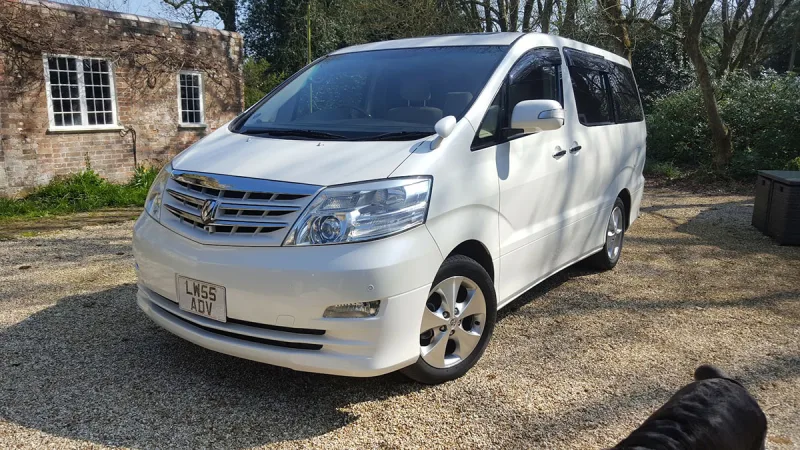
OC’s Review Summary
MonsterS rates the 2002 Alphard 3.0 V6 highly for reliability, practicality and interior quality, finding it spacious, smooth and relaxing for family life, commuting and long journeys. It has exceeded expectations, although fuel consumption is high and running costs score poorly. Parts can be difficult to find, but shipping directly from Japan has helped. The dealer experience was mixed, yet MonsterS would buy another.
AI-assisted · Based on this owner’s answersRead the owner’s words ↓
Ownership in four questions
How it feels
Overall owner feeling
10/10
Love itPeace of mind5/5
Connection5/5
Enjoyment5/5
What feels right
ComfortableReliableSmoothPracticalPowerfulSpaciousWell-builtPremiumRelaxing
What could be better
Thirsty
What’s it like to drive?
On the road
Comfort8/10
Performance7/10
Interior quality10/10
Everyday ownership
Reliability10/10
Running costs4/10
Practicality10/10
Value for money8/10
Who does it suit?
Who the owner thinks it suits
FamiliesCommutersLong-distance driversComfort-focused driversDog ownersBusiness usersLow-maintenance buyers
How they use it
CommutingLocal tripsLong journeysFamily lifeBusiness use
Why they chose it
Brand reputation
- Vehicle mileage
- Under 10,000 miles
Would they buy again?
- Would recommend
- 10/10
- Would buy another Alphard
- Yes
Their ownership journey
- Current ownership stage
- Long-term owner
- Expectations
- Better than expected
- Relationship with the car
- About the same
- Bought with head, heart or both?
- Both
What does long-term ownership feel like?
Selected by the owner in the survey
THE OWNER’S REVIEW
In their own words
its great, it can be hard to find parts but now i can ship direct from Japan it's fine.
DEALER EXPERIENCE
The main dealer
Mixed
The owner’s main-dealer rating. Dealer experience is separate from the car’s score.