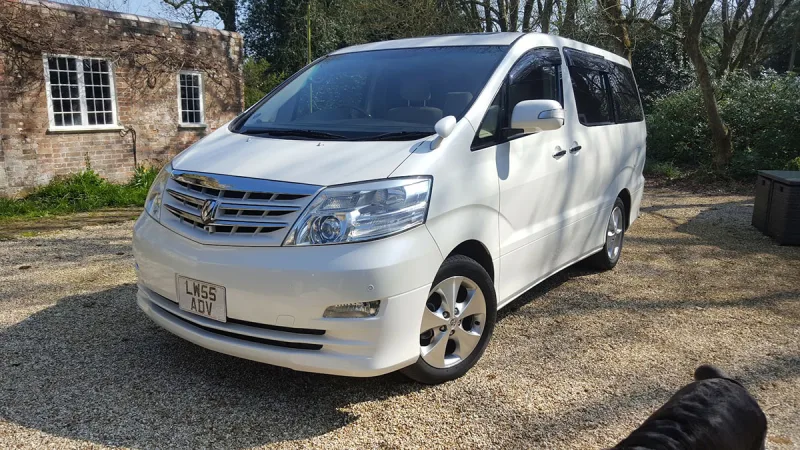
OC’s Review Summary
Cohen’s 2003 Alphard has exceeded expectations over ten years and more than 100,000 miles, with dependable service on family trips across the UK and Europe. It is smooth, quiet and comfortable, with generous space and van-like practicality. Servicing and MoT bills have generally been reasonable, though some parts are costly. Fuel economy is the main drawback, averaging around 28 mpg.
Ownership in four questions
How it feels
What feels right
What could be better
What’s it like to drive?
On the road
Everyday ownership
Who does it suit?
Who the owner thinks it suits
How they use it
Why they chose it
- Vehicle mileage
- 100,000+ miles
Would they buy again?
- Would recommend
- 9/10
- Would buy another Alphard
- Yes
Their ownership journey
- Current ownership stage
- Long-term owner
- Expectations
- Better than expected
- Relationship with the car
- About the same
- Bought with head, heart or both?
- Heart
What does long-term ownership feel like?
Selected by the owner in the survey
In their own words
The Alphard is a very smooth, comfortable, relaxing, drive. Amazing space and load ability. The practicality of a van with the comfort of a large saloon car. I have owned my current car for 10 years and 100k miles plus, and it has never let me down. It has taken me and my family across europe and througout the UK without fuss. Repair bills for MoT and servicing have been generally good, although certain parts can be expensive. Main dealers are VERY expensive but most good local garages can do the work. The only real downside is fuel economy which averages about 28 MPG for me. The best I have achieved is 30 MPG on longer runs of steady cruising. I would definitely buy another.
The main dealer
This owner did not visit a main dealer. Dealer experience is separate from the car’s score.