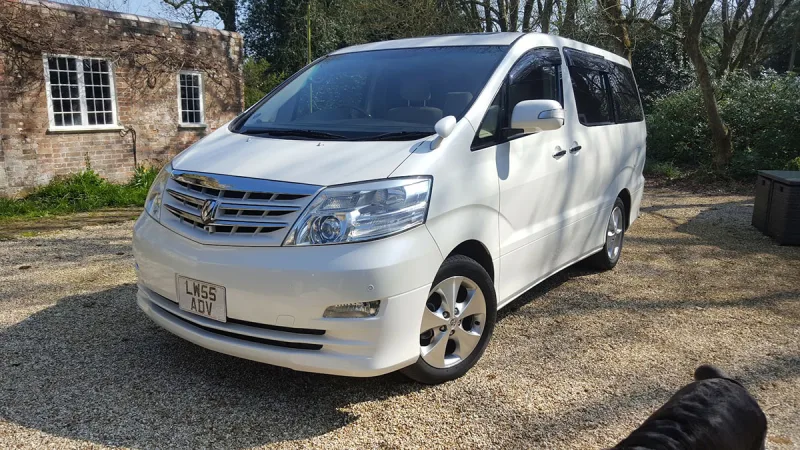
OC’s Review Summary
Andrew Sparks remains attached to the 2004 Alphard, even though the family currently uses a wheelchair-accessible VW Caddy instead. The Toyota has exceeded expectations, impressing with its space, comfort, reliability and well-mannered performance. It is also described as quiet, refined and practical for long journeys and towing. Fuel consumption is the sole complaint, reflected in a low running-cost rating.
AI-assisted · Based on this owner’s answersRead the owner’s words ↓
Ownership in four questions
How it feels
Overall owner feeling
10/10
Love itPeace of mind5/5
Connection5/5
Enjoyment5/5
What feels right
ComfortableReliableSmoothQuietRefinedPracticalPremiumWell-builtSpaciousFamily-friendlyFunResponsive
What could be better
Thirsty
What’s it like to drive?
On the road
Comfort10/10
Performance10/10
Interior quality10/10
Everyday ownership
Reliability10/10
Running costs3/10
Practicality10/10
Value for money10/10
Who does it suit?
Who the owner thinks it suits
FamiliesLong-distance driversComfort-focused driversRetired drivers
How they use it
TowingLong journeysTouring
Why they chose it
SpaceComfortReliability
- Vehicle mileage
- 60,000–100,000 miles
Would they buy again?
- Would recommend
- 10/10
- Would buy another Alphard
- Yes
Their ownership journey
- Current ownership stage
- Long-term owner
- Expectations
- Better than expected
- Relationship with the car
- I like it more now
- Bought with head, heart or both?
- Both
What does long-term ownership feel like?
Selected by the owner in the survey
THE OWNER’S REVIEW
In their own words
I don't need my Alphard at the moment as we have a WAV {wheelchair assessable vehicle} a VW Caddy, but I won't sell my baby because we are in love, she fast yes so well mannered, the only complaint is fuel consumption
DEALER EXPERIENCE
The main dealer
Good
The owner’s main-dealer rating. Dealer experience is separate from the car’s score.