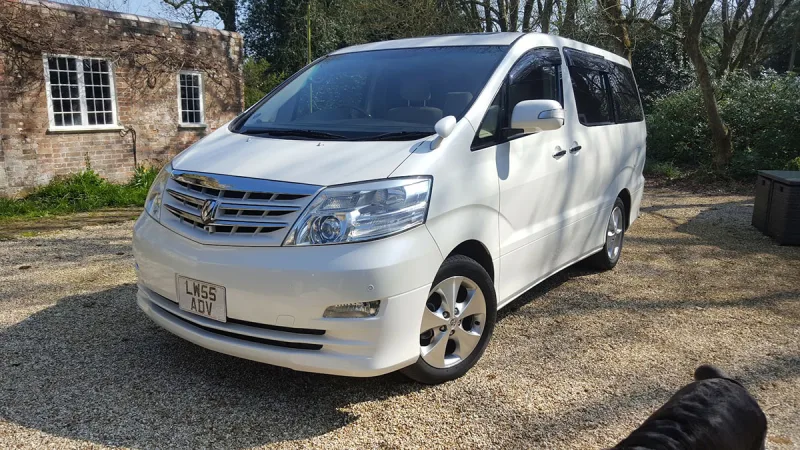
OC’s Review Summary
Comfort and long-distance touring stand out for Mr Leigh in the 2006 2.4-litre petrol Alphard, which he also describes as reliable. Practicality was a reason for choosing it, and it has broadly met expectations. However, fuel consumption is high and ownership has been more expensive than expected. His overall assessment is mixed, and he is unsure whether he would buy another.
AI-assisted · Based on this owner’s answersRead the owner’s words ↓
Ownership in four questions
How it feels
Overall owner feeling
5/10
MixedPeace of mind4/5
Connection3/5
Enjoyment4/5
What feels right
ReliableComfortable
What could be better
Thirsty
What’s it like to drive?
On the road
ComfortNot supplied
PerformanceNot supplied
Interior qualityNot supplied
Everyday ownership
ReliabilityNot supplied
Running costs3/10
PracticalityNot supplied
Value for money4/10
Who does it suit?
Who the owner thinks it suits
Comfort-focused drivers
How they use it
Long journeys
Why they chose it
Practicality
- Vehicle mileage
- 100,000+ miles
Would they buy again?
- Would recommend
- 6/10
- Would buy another Alphard
- Maybe
Their ownership journey
- Current ownership stage
- Settled in with it
- Expectations
- About what I expected
- Relationship with the car
- About the same
- Bought with head, heart or both?
- Both
What changed once the honeymoon period wore off?
Selected by the owner in the survey
THE OWNER’S REVIEW
In their own words
The Alphard is comfortable to drive and great for long joutnies/touring. Only problem is, it is thirsty
DEALER EXPERIENCE
The main dealer
Not visited
This owner did not visit a main dealer. Dealer experience is separate from the car’s score.