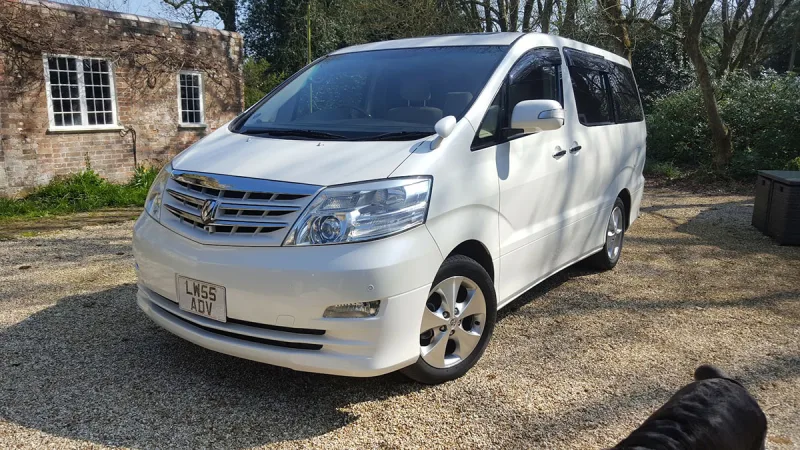
OC’s Review Summary
Joe55’s 2006 Alphard has exceeded expectations, with comfort, reliability, performance and interior quality all rated highly. The spacious, well-equipped Toyota completed a 2,000-mile trip without problems, and its beige and walnut interior draws compliments. Fuel costs were a consideration, and cruise control was fitted later to make the car more usable. Running costs and practicality scored a still-positive 7 out of 10.
Ownership in four questions
How it feels
What feels right
What’s it like to drive?
On the road
Everyday ownership
Who does it suit?
Who the owner thinks it suits
How they use it
Why they chose it
- Vehicle mileage
- 30,000–60,000 miles
Would they buy again?
- Would recommend
- 10/10
- Would buy another Alphard
- Yes
Their ownership journey
- Current ownership stage
- Settled in with it
- Expectations
- Better than expected
- Relationship with the car
- About the same
- Bought with head, heart or both?
- Head
What changed once the honeymoon period wore off?
Selected by the owner in the survey
In their own words
After I had the cruise control fitted it became a vehicle that could be used more often especially because of the cost of fuel . I used the Toyota to go to the Somme and we did over 2000 miles went through the chunnel . Purred all the way , no problems whatsoever . I really enjoy driving this vehicle gets a few looks , and people who have seen the interior think it`s lovely , Beige interior with a walnut dash . I have owned many many cars in my lifetime I rank this vehicle in my top three . I would recomend the Toyota to anyone . It took me three months to choose one , find a reputable dealer , buy one with all of the extras like Cruise if it`s a petrol This is a heavy vehicle 2.4 and with cruise I am getting around 50- 60 miles to a gallon Motorway and between 35 to 40 urban , I love this car very happy , If it helps I bought the car from Salford at Parkhouse motors very helpful even delivered it . If you do have to purchase accesories Amazon covers these vehicles I bought a manual and car mats .
The main dealer
The owner’s main-dealer rating. Dealer experience is separate from the car’s score.