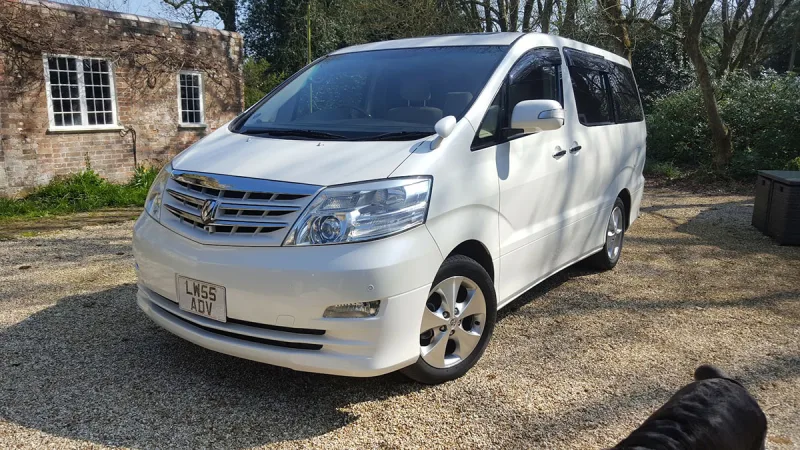
OC’s Review Summary
Alphard Club rates the 2006 Alphard highly for comfort, reliability and practicality, praising its roomy cabin, swivel seats and luggage space for family trips. The owner found parts and garages relatively easy to find, though fuel consumption was high; LPG helped with costs. The interior felt dated, while heavy weight and poor handling were also noted. Overall, the car exceeded expectations.
Ownership in four questions
How it feels
What feels right
What could be better
What’s it like to drive?
On the road
Everyday ownership
Who does it suit?
Who the owner thinks it suits
How they use it
Why they chose it
- Vehicle mileage
- 30,000–60,000 miles
Would they buy again?
- Would recommend
- 10/10
- Would buy another Alphard
- Yes
Their ownership journey
- Current ownership stage
- Previous owner
- Expectations
- Better than expected
- Relationship with the car
- About the same
- Bought with head, heart or both?
- Both
How do you feel looking back?
Selected by the owner in the survey
In their own words
I purchased this for our family. With the swivel seats in the rear we liked to go out at weekends and sit near the beach and relax, have a bite to eat while watching the sea. or if raining we could still go out and have lunch while the kids where playing in the back, it was big enough. Fuel wise it did drink a bit but we had LPG installed which was a blessing. The interior was dated, but it was an old car so as long as the interior was clean, scratch free then easy to live with.
Car was great to travel with and we did a european trip, plenty of room for our bags.
Parts were relatively easy to get and easy to find a garage and get them fixed. We sold it for a 2nd
The main dealer
This owner did not visit a main dealer. Dealer experience is separate from the car’s score.