



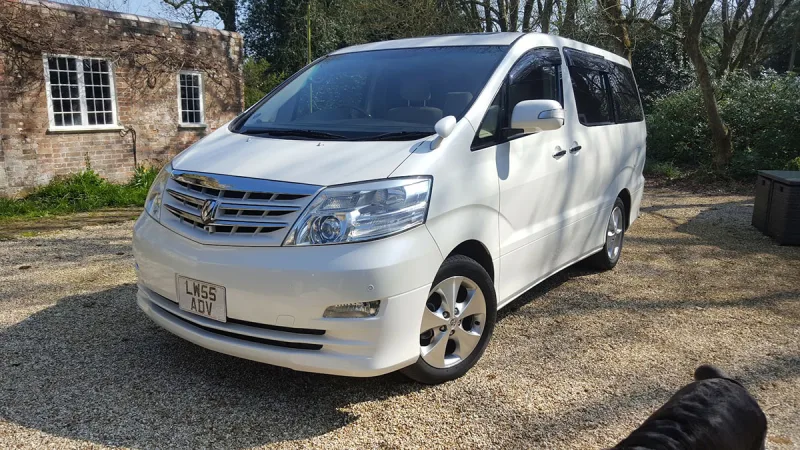
OC’s Review Summary
Space and flexible seating stand out for Tim Carter in his 2007 Toyota Alphard 3.0 V6, whether carrying bikes, taking rubbish to the tip or camping and sleeping aboard. He has fitted a pop-top and values its comfort, reliability and refined interior. It has exceeded expectations, though running costs are a drawback and, despite recommending it highly, he is unsure whether he would buy another.
AI-assisted · Based on this owner’s answersRead the owner’s words ↓
Ownership in four questions
How it feels
Overall owner feeling
10/10
Love itPeace of mind5/5
Connection5/5
Enjoyment4/5
What feels right
ComfortableReliableSmoothQuietRefinedPracticalPremiumWell-builtFamily-friendlyFunWell-equippedHigh-tech
What could be better
Expensive
What’s it like to drive?
On the road
Comfort9/10
Performance8/10
Interior quality9/10
Everyday ownership
Reliability9/10
Running costs3/10
Practicality7/10
Value for money7/10
Who does it suit?
Who the owner thinks it suits
FamiliesLong-distance driversComfort-focused driversLow-maintenance buyers
How they use it
Long journeysWeekend drivesTouring
Why they chose it
ComfortReliabilitySpacePracticality
- Vehicle mileage
- 100,000+ km
Would they buy again?
- Would recommend
- 10/10
- Would buy another Alphard
- Maybe
Their ownership journey
- Current ownership stage
- Long-term owner
- Expectations
- Better than expected
- Relationship with the car
- I like it more now
- Bought with head, heart or both?
- Heart
What does long-term ownership feel like?
Selected by the owner in the survey
THE OWNER’S REVIEW
In their own words
Fanastic for the space and flexibility of the seats, great for taking stuff to the dump, moving bikes about, camping and sleeping in. I had a pop top fitted to mine which makes it even better
DEALER EXPERIENCE
The main dealer
Not visited
This owner did not visit a main dealer. Dealer experience is separate from the car’s score.