



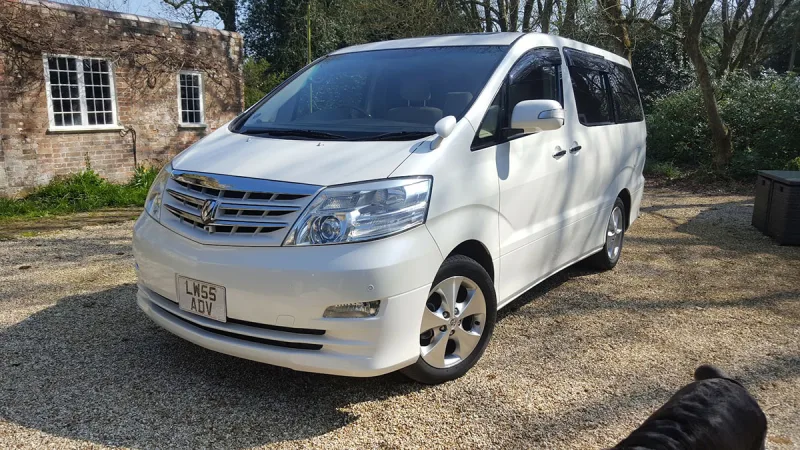
OC’s Review Summary
TonyH describes the 2007 Alphard 2.4 as an easy, relaxed drive, praising its comfort, reliability, quietness and interior quality. Used for touring and local trips, it has solar panels for leisure power and narrower kitchen units to make room for a wider bed. The electric doors have been disabled and are used manually. Although the car met expectations and has grown on TonyH, the dealer experience was very poor.
Ownership in four questions
How it feels
What feels right
What’s it like to drive?
On the road
Everyday ownership
Who does it suit?
Who the owner thinks it suits
How they use it
Why they chose it
- Vehicle mileage
- 60,000–100,000 km
Would they buy again?
- Would recommend
- 8/10
- Would buy another Alphard
- Yes
Their ownership journey
- Current ownership stage
- Settled in with it
- Expectations
- About what I expected
- Relationship with the car
- I like it more now
- Bought with head, heart or both?
- Both
What changed once the honeymoon period wore off?
Selected by the owner in the survey
In their own words
Easy relaxed drive. had solar panels fitted which makes leisure power worry free. Get a good sized awning. Had narrower kitchen units fitted which allowed for a wider bed. Had a vdub type 2. Weight and age made the narrower bed uncomfortable. Disabled the electrical doors. Now used manually no problem.
The main dealer
The owner’s main-dealer rating. Dealer experience is separate from the car’s score.