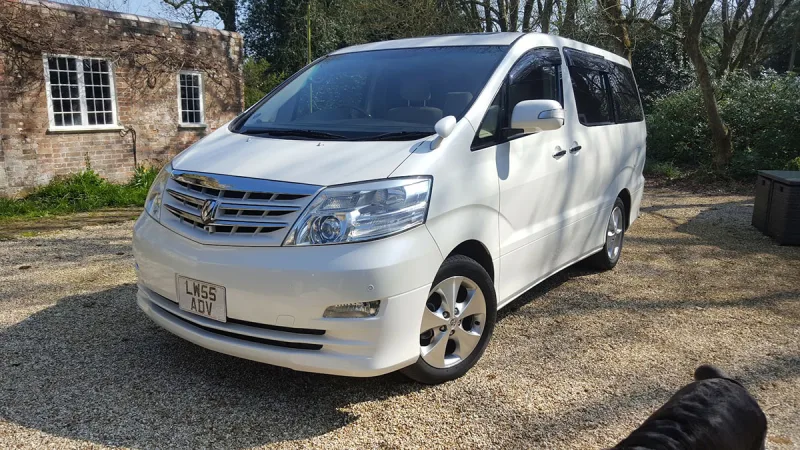
OC’s Review Summary
John White’s 2007 2.4-litre Alphard has exceeded expectations, with comfort, reliability, practicality and running costs all rated highly. Used for local trips and long journeys, it is described as quiet, smooth and well-built. John notes that it has relatively few electrics and reports no problems since buying it in 2024, with only servicing and MOTs needed.
AI-assisted · Based on this owner’s answersRead the owner’s words ↓
Ownership in four questions
How it feels
Overall owner feeling
10/10
Love itPeace of mind5/5
Connection5/5
Enjoyment5/5
What feels right
ComfortableReliableSmoothQuietRelaxingRefinedPracticalEconomicalEffortlessReassuringPremiumWell-built
What’s it like to drive?
On the road
Comfort10/10
Performance10/10
Interior quality10/10
Everyday ownership
Reliability10/10
Running costs10/10
Practicality10/10
Value for money10/10
Who does it suit?
Who the owner thinks it suits
Long-distance driversComfort-focused driversFamiliesDog ownersLow-maintenance buyers
How they use it
Long journeysLocal trips
Why they chose it
Brand reputationValue for moneyEconomyReliabilitySpacePerformanceComfortStylingDriving enjoymentSafetyTechnologyPracticality
- Vehicle mileage
- 60,000–100,000 miles
Would they buy again?
- Would recommend
- 10/10
- Would buy another Alphard
- Yes
Their ownership journey
- Current ownership stage
- Long-term owner
- Expectations
- Better than expected
- Relationship with the car
- I like it more now
- Bought with head, heart or both?
- Both
What does long-term ownership feel like?
Selected by the owner in the survey
THE OWNER’S REVIEW
In their own words
I brought this van and this year not so much electric on it had it since2024 only had service and MOTs No problem with it
DEALER EXPERIENCE
The main dealer
Not visited
This owner did not visit a main dealer. Dealer experience is separate from the car’s score.