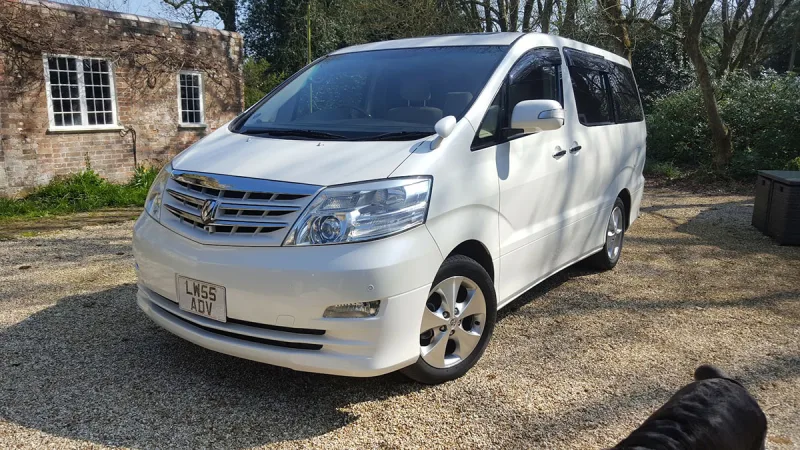
OC’s Review Summary
Charlie Brown’s camper-converted Alphard serves its main purpose well and carries large loads, with a smooth, comfortable drive on long journeys. They rate it 8/10 overall, though running costs limit its use as a second vehicle. The radiator, climate-control actuator and folding mirror have needed replacement; spares are available and local servicing is straightforward. They still enjoy it but are unsure about buying another.
Ownership in four questions
How it feels
What feels right
What’s it like to drive?
On the road
Everyday ownership
Who does it suit?
Who the owner thinks it suits
How they use it
Why they chose it
- Vehicle mileage
- 60,000–100,000 miles
Would they buy again?
- Would recommend
- 7/10
- Would buy another Alphard
- Maybe
Their ownership journey
- Current ownership stage
- Long-term owner
- Expectations
- About what I expected
- Relationship with the car
- About the same
- Bought with head, heart or both?
- Both
What does long-term ownership feel like?
Selected by the owner in the survey
In their own words
Our Alphard has been converted to a camper van, which is its main purpose with us, and it accomplishes this well. It is also our second vehicle. It is a bit expensive to run, so we use for this as little as possible, but it is quite good for shifting big loads. We bought it with about 65k miles on it. We have had to replace the radiator. Also the air blend door actuator on the climate control. Also the left hand folding wing mirror which had stopped folding. Spares have not been a problem to acquires. My local garage has no problems working on it, it is just another car to them. I find it quite an easy car to work on. It drives beautifully, great for long journeys.
The main dealer
The owner’s main-dealer rating. Dealer experience is separate from the car’s score.