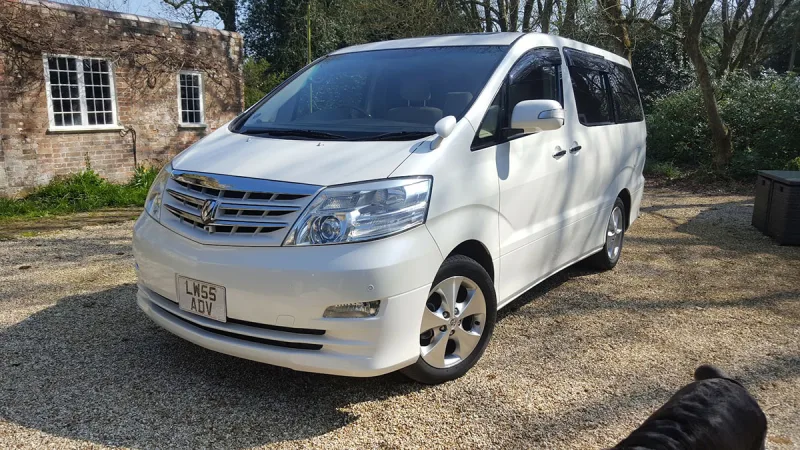
OC’s Review Summary
Nearly three years into ownership, mmjkaejec remains very happy with the 2008 Alphard, praising its comfort, reliability, space and practicality for family life and longer journeys. Interior quality and value also score highly, though fuel consumption is a downside and running costs are rated more modestly. The owner found helpful dealer and online community support, despite encountering some less reputable dealers during the search.
Ownership in four questions
How it feels
What feels right
What could be better
What’s it like to drive?
On the road
Everyday ownership
Who does it suit?
Who the owner thinks it suits
How they use it
Why they chose it
- Vehicle mileage
- 30,000–60,000 miles
Would they buy again?
- Would recommend
- 10/10
- Would buy another Alphard
- Yes
Their ownership journey
- Current ownership stage
- Settled in with it
- Expectations
- About what I expected
- Relationship with the car
- About the same
- Bought with head, heart or both?
- Both
What changed once the honeymoon period wore off?
Selected by the owner in the survey
In their own words
I had a Toyota Previa when the kids were at home and it was a fabulous answer to my needs
So none of my subsequent cars matched up to the Previa.
I had a Honda CRV with 200,000 on the clock that was on its last legs so started my journey of research into the next car
Can’t remember how I eventually stumbled on to the Alphard Velfire but was intrigued
Lots of You tube videos and forums investigated Several visits to dealers locally mostly excellent but some rogues fascinated by the camper van conversions.
Eventually found New Acre Leisure great people so helpful
Now nearly three years into ownership and still very happy with purchase
Lots of online support within the community
Just love my Alphard
The main dealer
The owner’s main-dealer rating. Dealer experience is separate from the car’s score.