



OC’s Review Summary
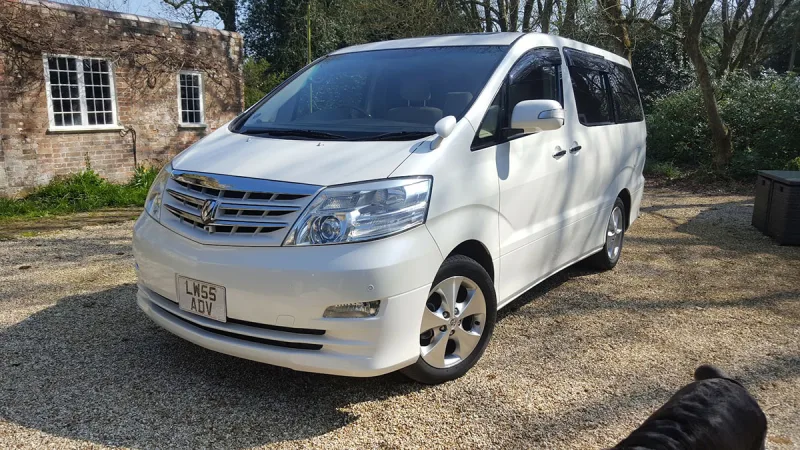
Mick Stimson finds the 2008 Toyota Alphard 3.5 V6 exceptionally comfortable over long distances, as well as spacious, quiet and dependable for family life. Its sporty looks and value also appeal, and it has exceeded expectations. Running costs receive a good rather than top score, while Mick would love a brand-new one but cannot afford it.
Ownership in four questions
How it feels
What feels right
What’s it like to drive?
On the road
Everyday ownership
Who does it suit?
Who the owner thinks it suits
How they use it
Why they chose it
- Vehicle mileage
- 60,000–100,000 miles
Would they buy again?
- Would recommend
- 10/10
- Would buy another Alphard
- Yes
Their ownership journey
- Current ownership stage
- Long-term owner
- Expectations
- Better than expected
- Relationship with the car
- I like it more now
- Bought with head, heart or both?
- Both
What does long-term ownership feel like?
Selected by the owner in the survey
In their own words
A fantastic vehicle from start to finish
Comfort that is hard to beat. I can drive for hours at a time without feeling a need for a rest.
The model 3.5l V6 is quite sporty and meaty in looks
I have had Jeep Grand Cherokees and Chrysler Voyagers owever I believe this vehicle is on another level.
Would love to be able to afford a brand new one
The main dealer
This owner did not visit a main dealer. Dealer experience is separate from the car’s score.