OC’s Review Summary
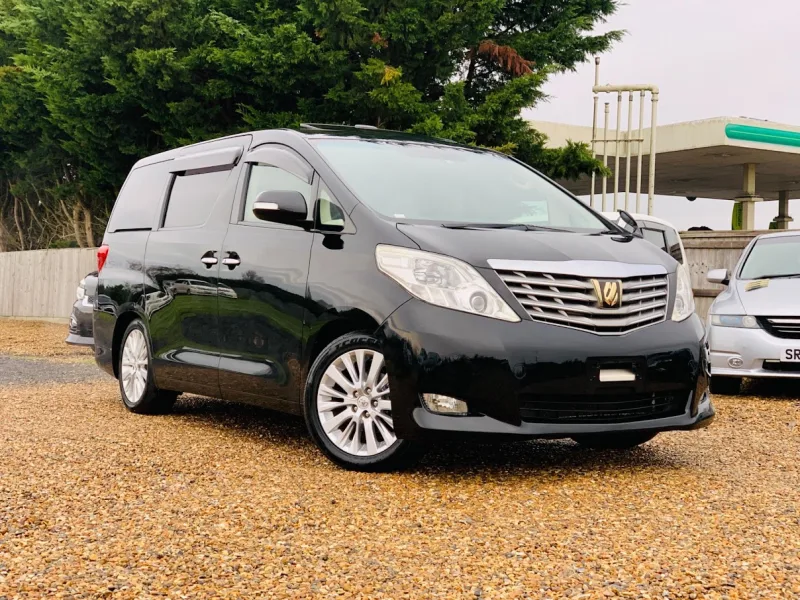
Eugene P’s 2012 Vellfire 2.4 has exceeded expectations, offering comfort, reliability and space for family life and long journeys. It is smooth, quiet and enjoyable, with straightforward servicing and readily available mechanical parts. However, its low ground clearance is a concern, body parts are difficult to source, and the bumper has needed two repairs. The car is starting to show its age, and the dealer experience was mixed.
AI-assisted · Based on this owner’s answersRead the owner’s words ↓
Ownership in four questions
How it feels
Overall owner feeling
10/10
Love itPeace of mind5/5
Connection5/5
Enjoyment5/5
What feels right
ComfortableReliableSmoothQuietRelaxingRefinedPracticalSpaciousFamily-friendlyPowerfulCharacterfulSatisfying
What’s it like to drive?
On the road
Comfort9/10
Performance8/10
Interior quality9/10
Everyday ownership
Reliability9/10
Running costsNot supplied
PracticalityNot supplied
Value for money8/10
Who does it suit?
Who the owner thinks it suits
FamiliesLong-distance drivers
How they use it
CommutingFamily lifeLong journeysWeekend drivesBusiness use
Why they chose it
ComfortReliabilityDriving enjoymentSpace
- Vehicle mileage
- 100,000+ miles
Would they buy again?
- Would recommend
- 8/10
- Would buy another Alphard
- Yes
Their ownership journey
- Current ownership stage
- Long-term owner
- Expectations
- Better than expected
- Relationship with the car
- I like it more now
- Bought with head, heart or both?
- Heart
What does long-term ownership feel like?
Selected by the owner in the survey
THE OWNER’S REVIEW
In their own words
I love my Vellfire, it is reliable parts are easy servicing no problem.
My on complaint is vellfire liw to ground and body parts are very difficult to source.
Have had my bumper repaired twice.
DEALER EXPERIENCE
The main dealer
Mixed
The owner’s main-dealer rating. Dealer experience is separate from the car’s score.