



OC’s Review Summary
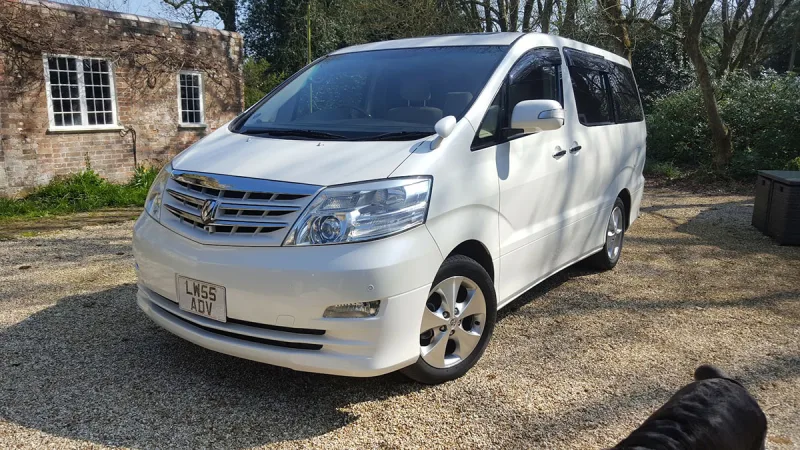
Stephen P Newton’s 2009 2.4-litre Alphard suits its day-camper conversion, offering smooth, comfortable driving, predictable handling and a well-built, spacious feel. Reliability has been strong so far, and its road presence adds to the appeal on trips. The technology feels dated, however, and running costs receive a middling rating; fuel economy is as expected and less concerning because it is not a daily car.
Ownership in four questions
How it feels
What feels right
What could be better
What’s it like to drive?
On the road
Everyday ownership
Who does it suit?
Who the owner thinks it suits
How they use it
Why they chose it
- Vehicle mileage
- Under 10,000 miles
Would they buy again?
- Would recommend
- 9/10
- Would buy another Alphard
- Yes
Their ownership journey
- Current ownership stage
- Settled in with it
- Expectations
- About what I expected
- Relationship with the car
- I like it more now
- Bought with head, heart or both?
- Both
What changed once the honeymoon period wore off?
Selected by the owner in the survey
In their own words
Our Alphard is a day/camper conversion, to which is well suited. It is smooth and comfortable to drive and feels well built, safe and has so far been reliable. Fuel economy is as expected for a vehicle with a 2.4 litre engine and automatic transmission but this is not an issue for us as it not our daily drive. It has tremendous road presence and predictable handling; all in all it enhances our enjoyment of the days out and trips we make in it.
The main dealer
This owner did not visit a main dealer. Dealer experience is separate from the car’s score.