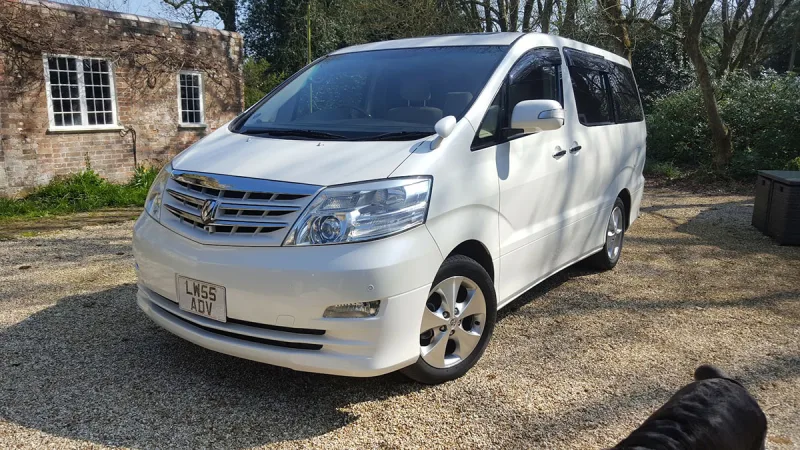
OC’s Review Summary
The 2010 petrol Alphard has exceeded wobbler’s expectations and grown on them over time. They praise its reliability, comfort, space and smooth, quiet character, alongside its looks and enjoyable drive. It suits family life and long journeys, with running costs and value also rated highly. The technology feels dated, though, despite an excellent dealer experience.
AI-assisted · Based on this owner’s answersRead the owner’s words ↓
Ownership in four questions
How it feels
Overall owner feeling
10/10
Love itPeace of mind5/5
Connection5/5
Enjoyment5/5
What feels right
ComfortableReliableSmoothQuietRelaxingRefinedPracticalEconomicalWell-builtSpaciousFamily-friendlyWell-equipped
What could be better
Dated tech
What’s it like to drive?
On the road
Comfort9/10
Performance8/10
Interior quality9/10
Everyday ownership
Reliability10/10
Running costs9/10
Practicality9/10
Value for money9/10
Who does it suit?
Who the owner thinks it suits
FamiliesLong-distance driversComfort-focused driversCar enthusiastsBusiness usersRetired drivers
How they use it
Local tripsFamily lifeLong journeysWeekend drivesTouring
Why they chose it
ComfortReliabilityEconomyStylingDriving enjoymentValue for moneySpacePerformancePracticalityWanted something different
- Vehicle mileage
- 60,000–100,000 miles
Would they buy again?
- Would recommend
- 9/10
- Would buy another Alphard
- Yes
Their ownership journey
- Current ownership stage
- Long-term owner
- Expectations
- Better than expected
- Relationship with the car
- I like it more now
- Bought with head, heart or both?
- Both
What does long-term ownership feel like?
Selected by the owner in the survey
THE OWNER’S REVIEW
In their own words
Love this car, suits all my need and more, it's reliable and a joy to drive, also it looks good, the best car I have owed and I've opened a fewv
DEALER EXPERIENCE
The main dealer
Excellent
The owner’s main-dealer rating. Dealer experience is separate from the car’s score.