OC’s Review Summary
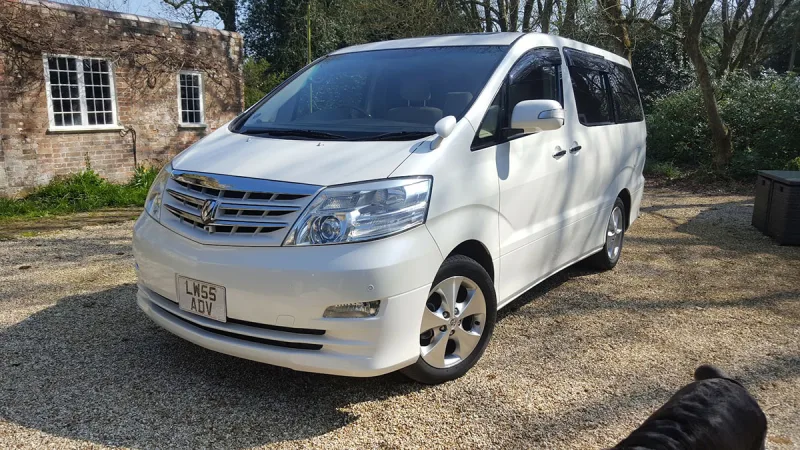
For Alphard Club, the 2008 Alphard was a comfortable, refined and practical family car, with a powerful V6 that made it enjoyable to drive. The previous owner rated reliability highly and found it better than expected, but noted costly fuel consumption, dated technology and rear seats that did not swivel. They also encountered poorly patched damage concealed when buying, prompting caution around dealers.
Ownership in four questions
How it feels
What feels right
What could be better
What’s it like to drive?
On the road
Everyday ownership
Who does it suit?
Who the owner thinks it suits
How they use it
Why they chose it
- Vehicle mileage
- 30,000–60,000 miles
Would they buy again?
- Would recommend
- 8/10
- Would buy another Alphard
- Yes
Their ownership journey
- Current ownership stage
- Previous owner
- Expectations
- Better than expected
- Relationship with the car
- I like it more now
- Bought with head, heart or both?
- Heart
How do you feel looking back?
Selected by the owner in the survey
In their own words
I purchased one of these after my AH10 experience. Although the rear seats did not swivel like the first series, it was still a great car. That engine is phenomenal as same engine used in other Toyotas as well is Lotus Evora. Had so much grunt! It was definitely a good upgrade. Just pricey on fuel. As we only used it at weekends we used a small car for commutes so it was ok for us.
Just be very wary of dealers. Do your homework, I made a couple of mistakes which cost be a bit of money and the car looked very clean when buying but that was all polished and parts hidden by silicone spray. However, the CarFX was fine it was more slight damage with bad patch up.
You will not be dissapointed!
The main dealer
This owner did not visit a main dealer. Dealer experience is separate from the car’s score.