Join The Toyota Alphard & Vellfire Club
Our community has been built by enthusiasts, for enthusiasts, and proudly run by Alphard owners' for over 7 years. As an independent, non-official club, everything you’ll find here, advice, support, and opinions, comes directly from members with genuine Alphard & Vellfire ownership experience. By being a member you can gain access to active community forums, videos, news, events and more...
Most Viewed Club Topics
-
Hi folks i have a 2007/8 alphard. Ive replaced the aux battery and the main hybrid high voltage battery from a running vehicle. All the codes it had pointed to the HV battery. I checked them individually and more than 10 cells sat at 5v I replaced the cells all 7.4v and balanced . Granted not max charged but should still suffice to start the vehicle. I get the same noise As though it wasnts to start it says ready. You put it into drive and you get a humming sound and eventually it stops And
-
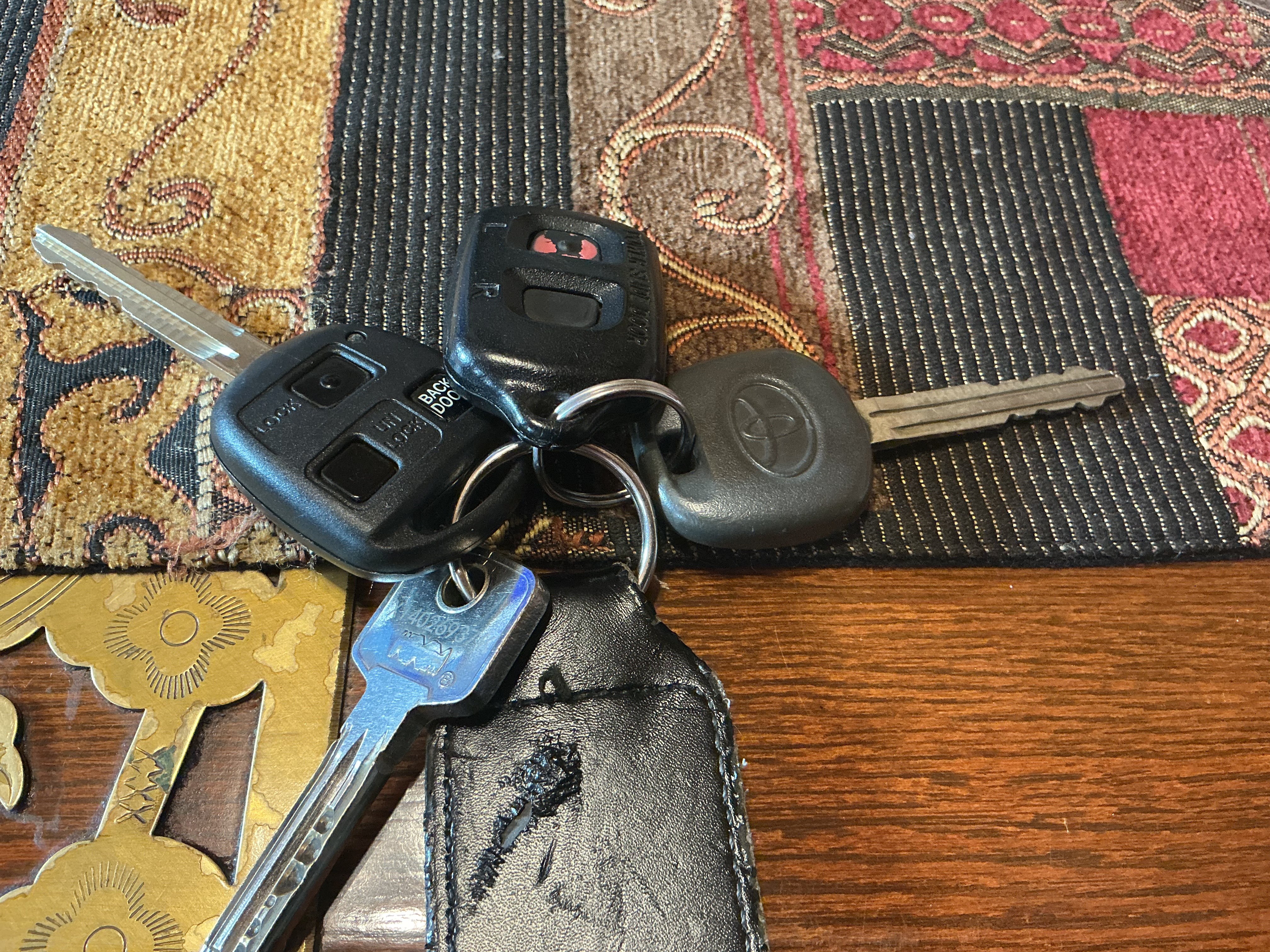
Hi Would like a second key for my Alphard with the transponder and battery any one know where I can purchase one, I have 1 with the side door opener fob and the factory spare as can be seen on the photo but would like a 2nd one I also have the spare key but need the electronic part that goes inside with the battery. Hope some one can help. Malcolm
-
I have a hybrid 2004/2005 Alphard. On the V5C Log book, it just says Petrol. Does not say Hybrid or Electric on the fuel type and has nothing where the CO2 emissions should be. Has anyone else overcome this problem, had their log book changed so the car is exempt from the ULEZ charge, as it should be.
-
2008 ATH10W: After returning from pleasant drive in the rain yesterday, I turned into my driveway and then.... Warnings lights, loss of power, shuddering rear axle. Limped into my garage. Talked to AI, because I don't have an OBD reader. Asked me to bridge pins 4 and 13 and look for a flash sequence to identify/clear the fault. No such luck. Plenty of flashing but no patterns to read. AI gave up. But I can't really, can I? After bridging pins 4 &13, the engine warning light had gone when I t
-
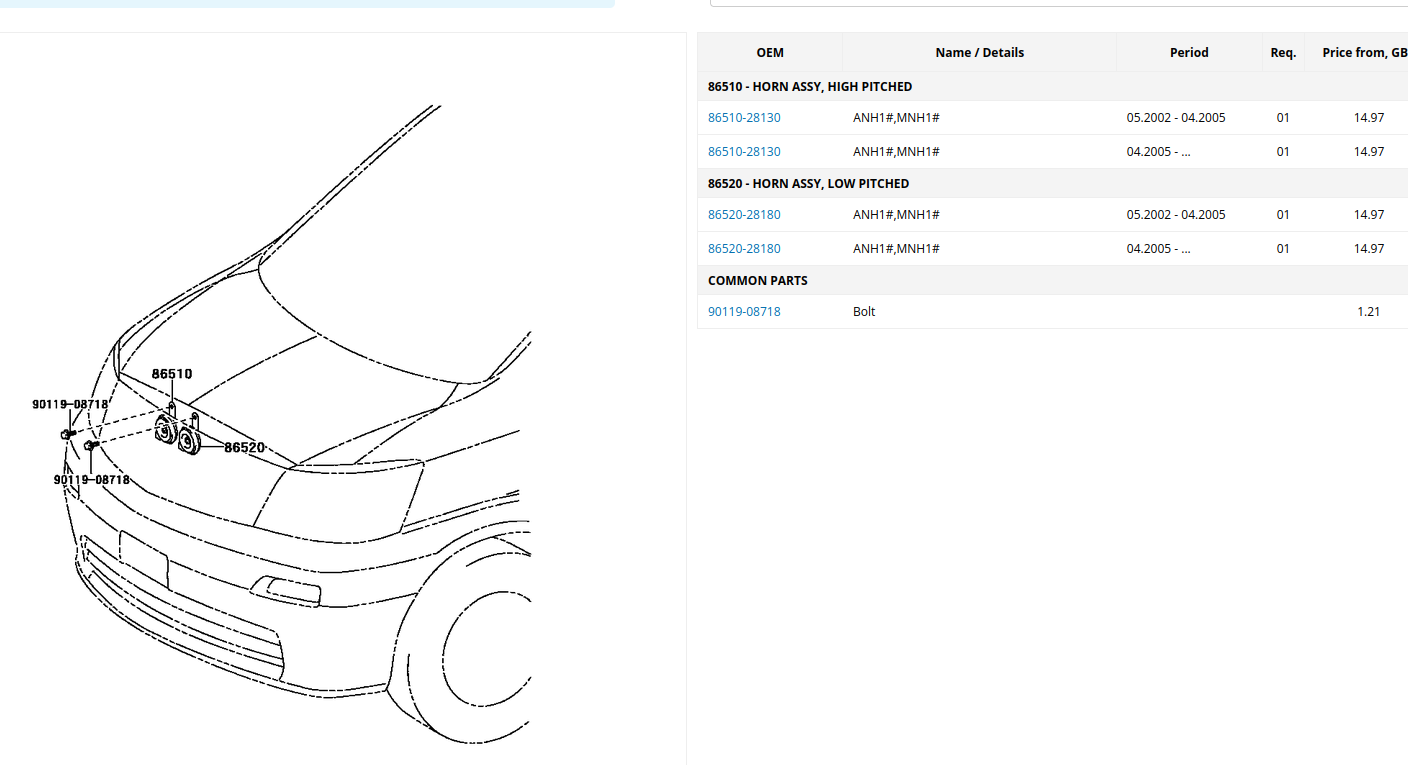
Garage struggling to find part. Horn not working believe clock issue any ideas on suppliers






Latest Alphard / Vellfire posts
-
-
Hi Would like a second key for my Alphard with the transponder and battery any one know where I can purchase one, I have 1 with the side door opener fob and the factory spare as can be seen on the photo but would like a 2nd one I also have the spare key but need the electronic part that goes inside with the battery. Hope some one can help. Malcolm
-
You need to obtain a Certificate of Conformity, CoC, from https://japaninspection.org/certificate-of-conformity-coc/ not Toyota. You fill out a couple of forms and email them back, if they can find the export cert for you Alphard they will be able to issue a CoC after you have given them some money, cheaper at the moment because of the exchange rate. On the CoC will be the emissions details and a statement that it complies with Euro 4 standard. Send a copy of the form along with your V5 to DVLA with a cover letter asking them to update your V5 with the emission details, they will also add your engine s/n. The lez's will only take the info from the DVLA so once your emissions are updated the various lez's will update your vehicle, including London ulez. 2003 Toyota Alphard 2.4 hybrid.
-
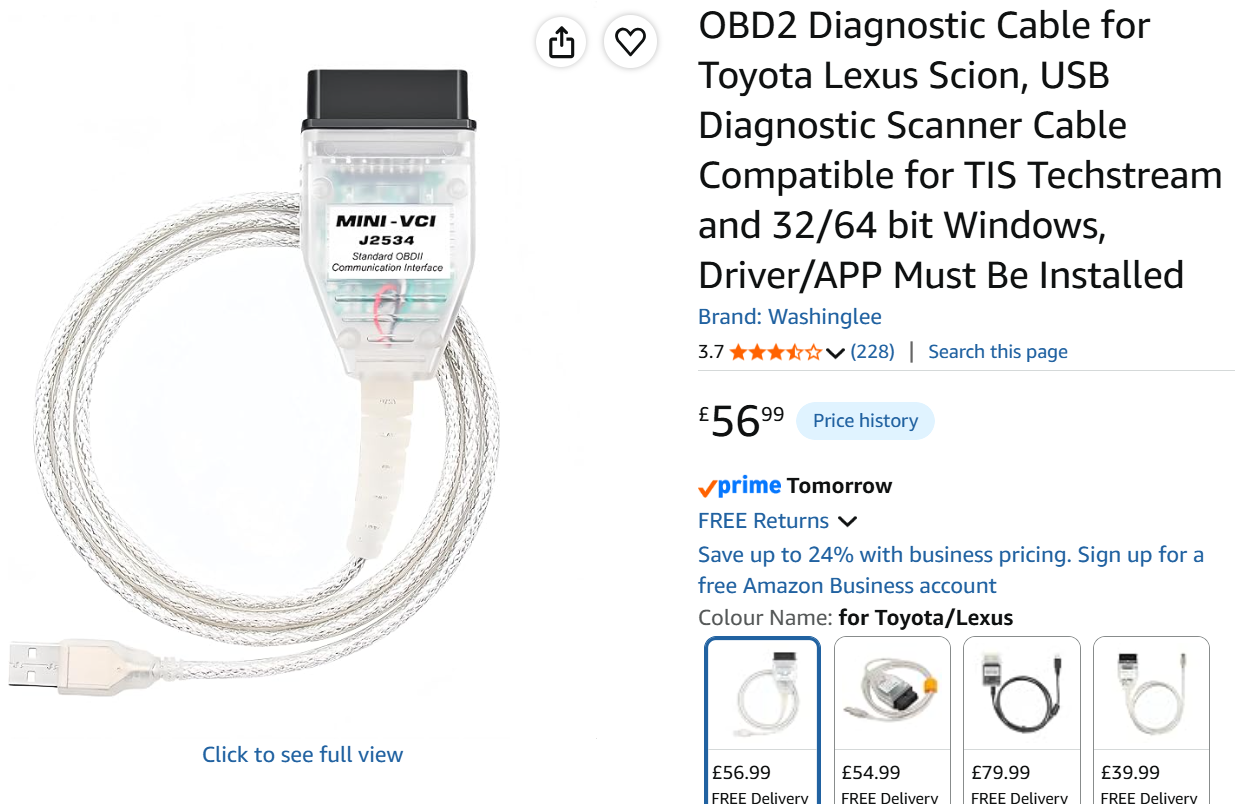
You can get code readers specifically for Japanese vehicles which can read JOBD format data, an ODB2 will not work. Ancel and iCarsoft make these and there are others as well. I have an iCarsoft which will read hybrid data but I tend to use Techstream as it is easier to view all the parameters on one screen, you just need a Mini VCI J2534 Cable to connect laptop to the ODB port.
-
Because of where the horns are located they corrode as do the connectors , check the power supply at the connectors with the horn pressed also the earth point. Replacement horns on Amazon or ebay, just generic two tone horns. Check the fuse and horn relay which are both in the engine bay main fuse/relay box. If you can earth pin 2 on the relay that will bypass the clock spring sounding the horn.
-



.jpg.7d1630ed0d89847d0527886b0616c34c.jpg)