Join The Toyota Alphard & Vellfire Club
Our community has been built by enthusiasts, for enthusiasts, and proudly run by Alphard owners' for over 7 years. As an independent, non-official club, everything you’ll find here, advice, support, and opinions, comes directly from members with genuine Alphard & Vellfire ownership experience. By being a member you can gain access to active community forums, videos, news, events and more...
Most Viewed Club Topics
-
Due to an unforeseen family tragedy i have a hardly used Campal “Campal for Two” drop in camping unit to fit the Toyota Alphard for sale. If you would like further information drop me your contact information and i will Send you a flyer sheet i have put together. Regards Clive
-
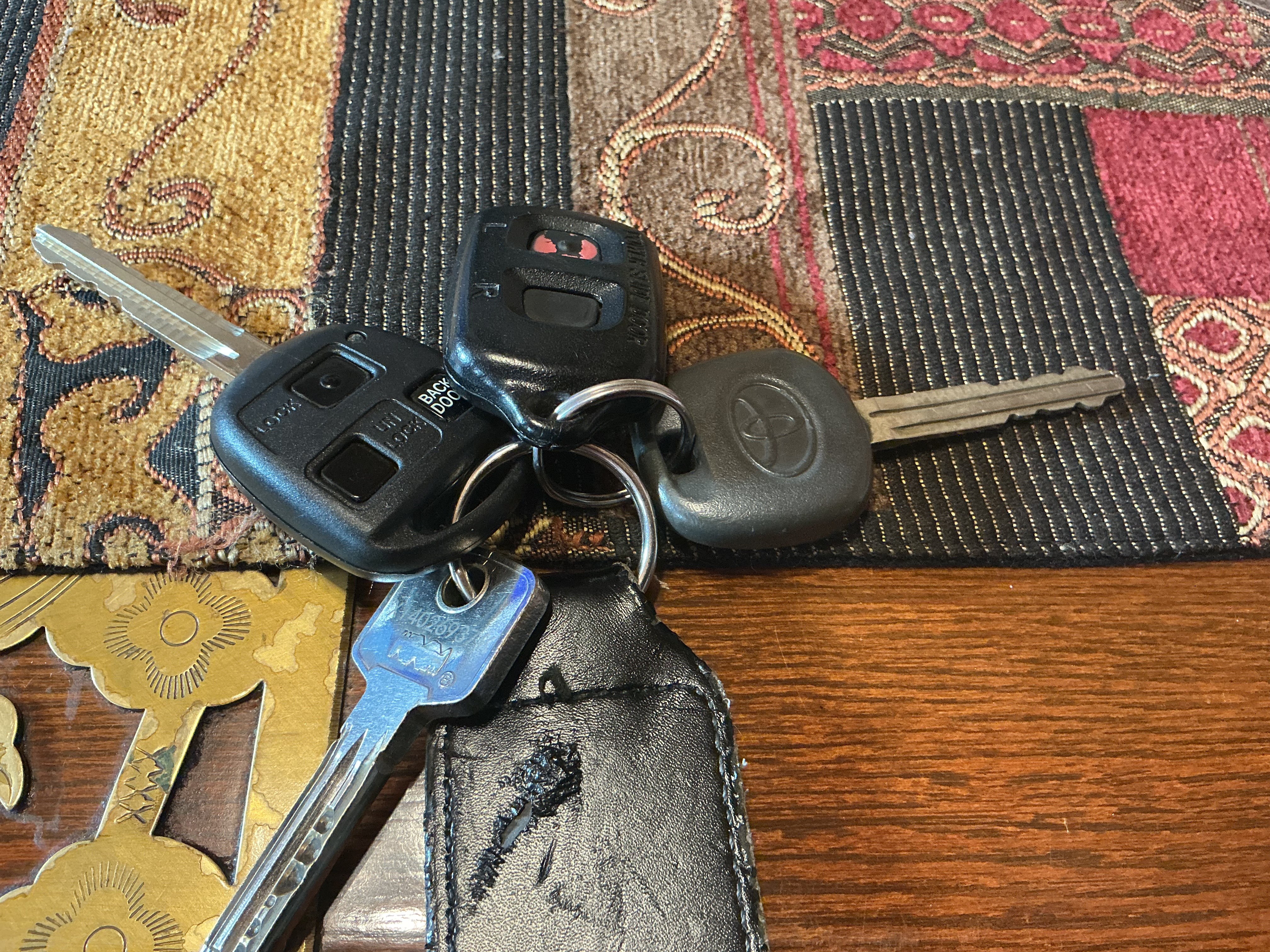
Hi Would like a second key for my Alphard with the transponder and battery any one know where I can purchase one, I have 1 with the side door opener fob and the factory spare as can be seen on the photo but would like a 2nd one I also have the spare key but need the electronic part that goes inside with the battery. Hope some one can help. Malcolm
-
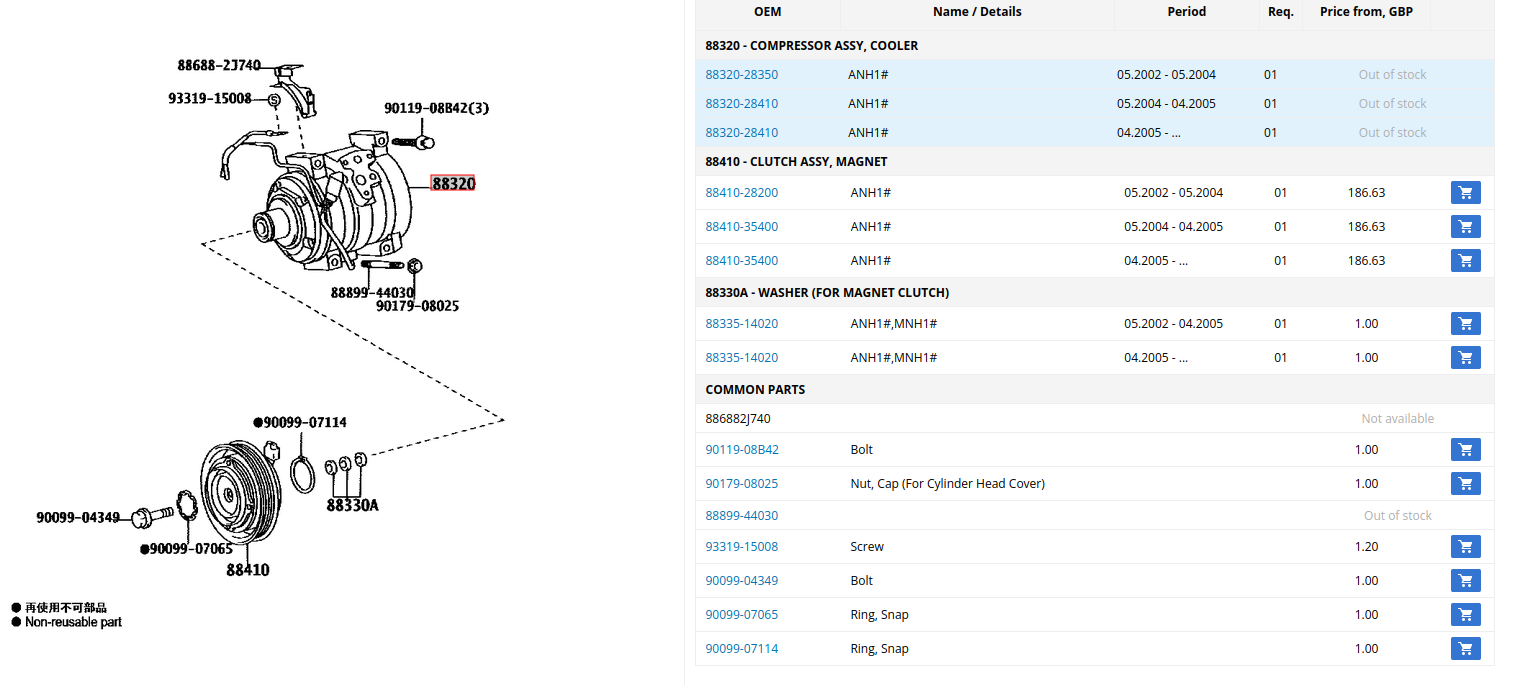
Hi all. I've just been told by my garage that I need to find a new ac compressor for my 2004 Alphard (hybrid). I think this is going to be a challenge - Any help or guidance RE where I might find one would be appreciated! THANKS.
-
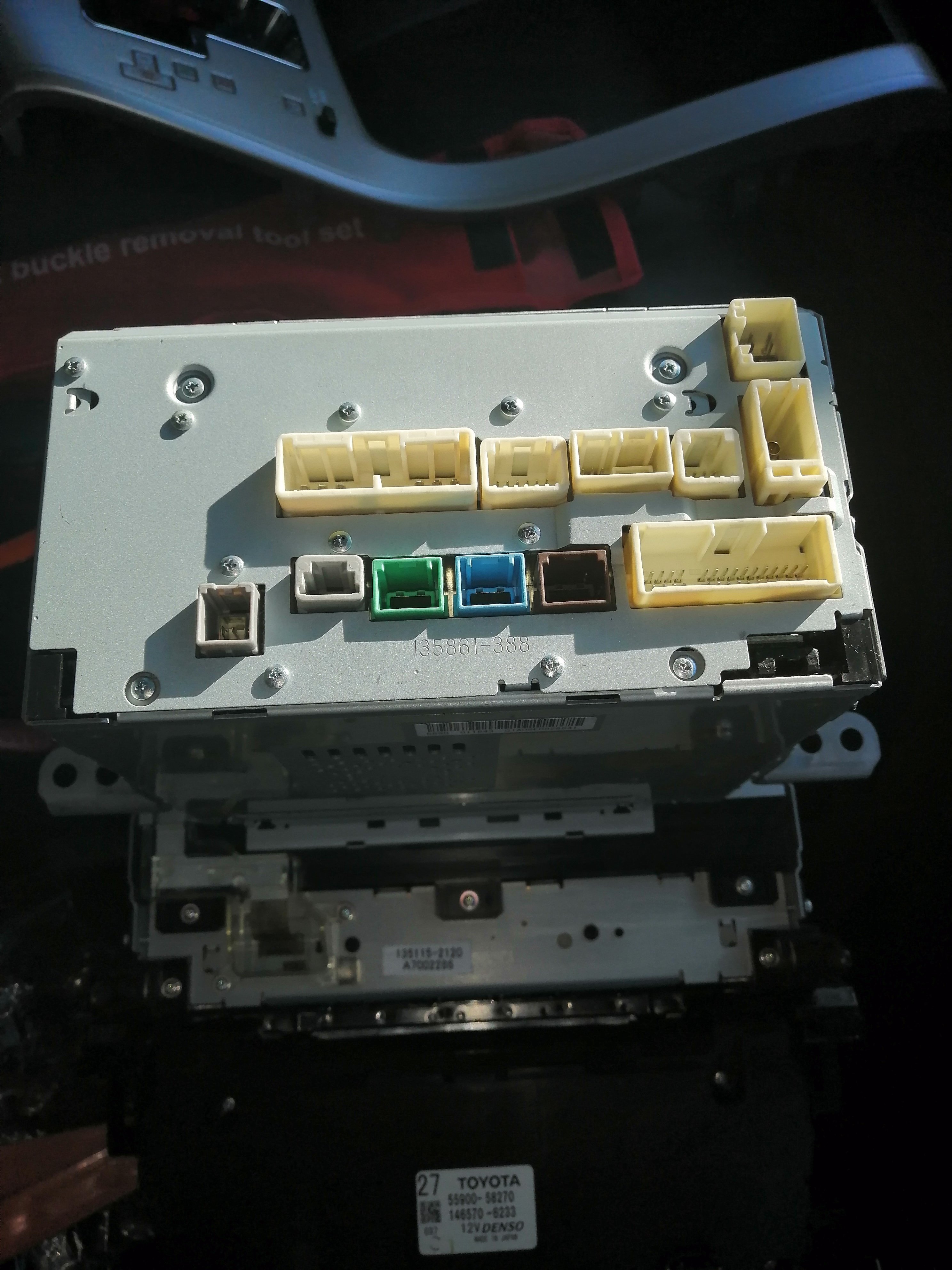
Hi all. Can anyone help me with a replacement head unit for my Toyota alphard ANH20W 2008/9 2.4. having a lot of conflicting info regarding plug n play. There seems to be a lot of differences between the cabling and ports on the rear of my original sterio. Any help would be greatly appreciated. As you can see I've added pictures of the back and front of the head unit which may help.inn24🐉😎
-
Hi All. My rear hatch is severely dented. I am trying to find a replacement. Does anyone know the following: I have the hatch with a powered lift and powered curtains. Does this mean I will have to match these features in order for the sheet metal to be the same? Or are all Alphard hatches the same and I can swap the electrics and other components? Cheers, Mark





Latest Alphard / Vellfire posts
-
Due to an unforeseen family tragedy i have a hardly used Campal “Campal for Two” drop in camping unit to fit the Toyota Alphard for sale. If you would like further information drop me your contact information and i will Send you a flyer sheet i have put together. Regards Clive
-
Believe it or not but try Timpson's, Their main outlets in big supermarkets offer cloned car key replacements🙂
-
Awesome - Thanks so much. I'll go ahead and buy this part then.
-
Yes, Amayama shows (SUBS) on the second line which means the 58011 is a substitute for the 58010 in 07.2003 to 05.2004 vehicles. It's an official substitution so I would expect this to work. When they did the substitution I expect they ran through remaining stocks of the 58010 and then discontinued it. (we don't know why the part number was changed, could just be something like they moved production to a different factory/supplier and changed the part number as a result. Or maybe there was some flaw in the original part and they made a new improved version) If you have a source for the 58011 (maybe not Toyota, as Amayama says it's discontinued) then I'd got with that.
-
Hey all, This is all very helpful - thanks. With a lot of research and tips from ai! I think that I can use the part: 88310-58011 instead of 88310-58010 (which I can't find anywhere). The Amayama catalogue shows 88310-58010 used up to approximately May 2004 and 88310-58011 thereafter on the same ATH10W Alphard Hybrid platform. Does anyone know if this will work/ tried it? (fingers crossed).
-
@Gamith your picture is for the non hybrid ANH10, the hybrid ATH10 uses the 88310-58010 or 88310-58011 - see picture. Amayama say it's no longer available from Toyota. I think the best bet is from a scrapyard vehicle. Check eBay (also for people breaking hybrids) and also ZenMarket for getting a used one from Japan.




.jpg.7d1630ed0d89847d0527886b0616c34c.jpg)