Chris.ac
Moderators
-
Joined
-
Last visited
Everything posted by Chris.ac
-
Each revision is detailed in Toyotas 'ncf' (new car features) bulletins. I do have the 20 series ones up to 2014 I think, I will upload them to my Google drive
-
You have electric tailgate? Do you have 'soft close' (where a motor pulls door tight if you don't close it fully?) It sounds like the soft close motor is disengaging, maybe a loose connection, or debris in the latch mechanism? My Softclose had a rattle, I took off the rear plastic trim, and 2 of the screws that hold the lock mechanism had worked their way completely loose!
-
It activates central locking, to lock all doors on car. The Handle unlocks just the boot, the small round button locks everything, so you don't need to go to the drivers door or press remote after unloading shipping and closing boot
-
You are out of luck regarding English. 2012 is when they started exporting officially to some regions like Russia, UAE and China(Hong Kong), these export models usually had lower spec headunits for 8 speaker internal amp, and 11 speaker external amp. Because they were export models, they had several language choices. The problem is, the wiring loom for the headunit have subtle differences which makes a straight swap more complicated. The good news is, that these had full range fm, and better satnav Map regions
-
Which unit, the one fitted to the boot door, or the one fitted to the bodywork? Body work, two bolts, and side unit backwards. Boot door, need to remove boot liner. http://zatonevkredit.ru/repair_manuals/viewdoc_html/AWI4O_qhU9h2CeTmduUr/AWI4PpR1rzlLPWuuVUE8
-
The small white switch is used to bypass the lock out that prevents dvd being played on front screen when parking brake is not applied and also allows the japanese satnav to be interacted with whilst moving (in Japan, you usually cannot change satnav settings when speedo is above zero mph) Your headunit(stereo) is not exactly the same, but check here, as many of the buttons are labelled similar. http://eightseaters.blogspot.com/search?q=Parking+
-
Open links in chrome browser, use built in translate Japanese to English. 1st link describes meters and layout, warning lamps, how each system works etc. 2nd link is pdf wiring, you been use an online pdf translate tool if you want to see the labels in English. Good luck.
-
http://fsm.japanclassic.ru/toyota/2002.5_7a037_alphard_anh1,mnh1/x339/servinfo/x339i0307000263_base.html
-
http://fsm.japanclassic.ru/toyota/2002.5_7a037_alphard_anh1,mnh1/x339/servinfo/x339k0205318001.html
-
On my 2010 alphard, this is the Etc (electronic toll collector) used in Japan to pay road/bridge charges Or looks different to mine (mine is factory fitted, yours looks like a owner fitted one - I am guessing you dont have the premium 18 speaker headunit system in the 350G alphards)
-
It's a light that is non intrusive, and illuminates the centre console, useful when putting your coffee cup down in the holder, so you can see without switching on the map lights.
-
Connector (a) is the digital audio out to the external amplifier Not sure what headunit you are fitting, so no idea what the connections are. Canbus adaptor is usually for controlling the climate control. Original Cameras will connect to new headunit with some GVIF to phono adaptors. No idea what you are fitting, or what wiring harness you have. What is WU0? Is that on your new head unit?
-
No, this is not the unit I detailed, but it is what the original poster put up. Can you confirm that you have the super live sound system? 11 speakers, this uses an 8 channel amplifier, the one I detailed is the premium system with a 16 channel amp.
-
-
Post image of head unit and connectors, is it really the same as the Alphard? What year?
-
-
You'll be looking for a long time, Alphards were not built in the 1980s
-
they should have used a ring binder, so it sits flat, and lets you laminate the pages.
-
I can't break copyright, but there is nothing to stop you searching on Google for: Japanclassic fsm
-
Alloys as standard, depending on trim, 4wd or hybrid, you had 15" up to 17"
-
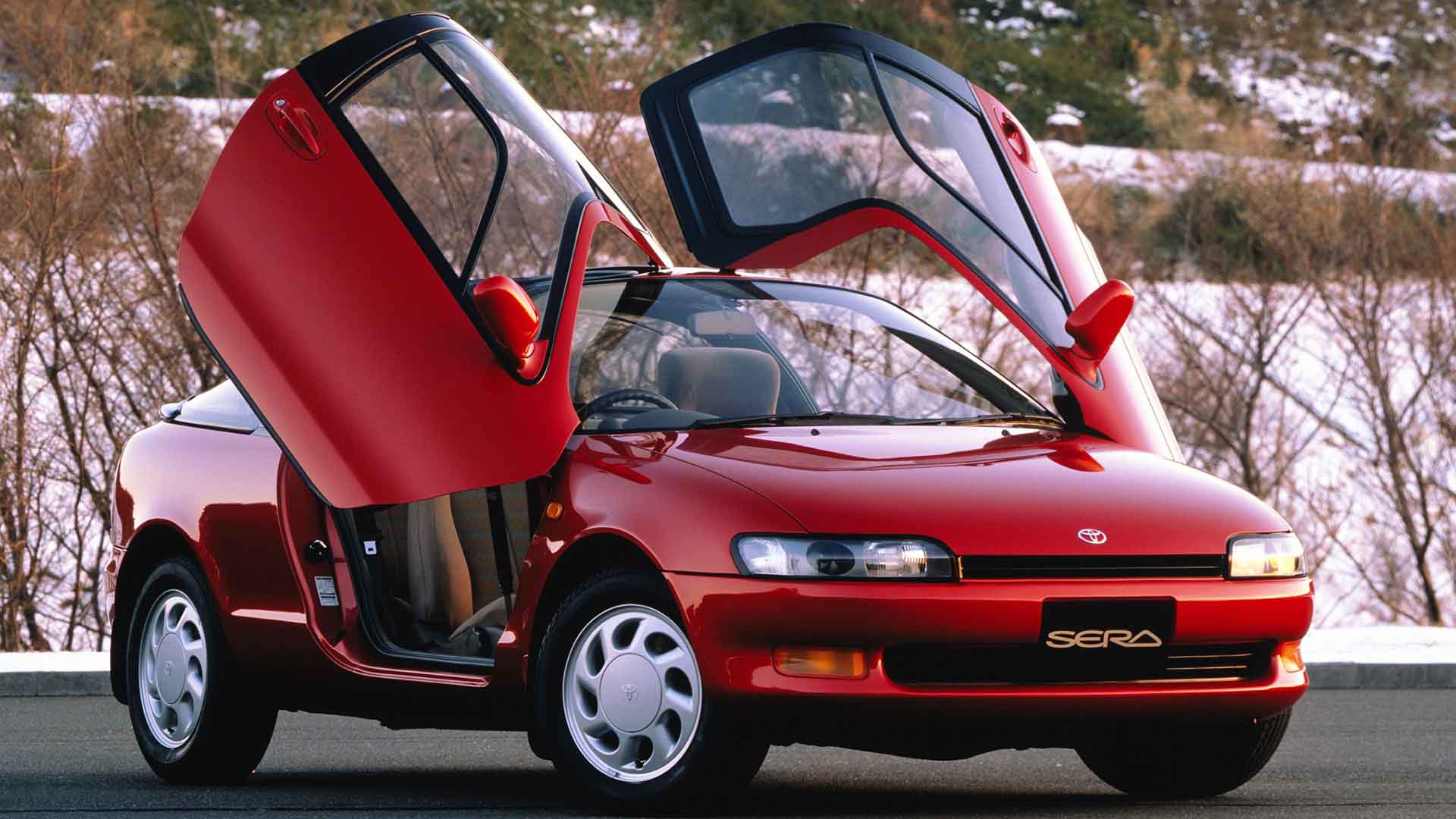
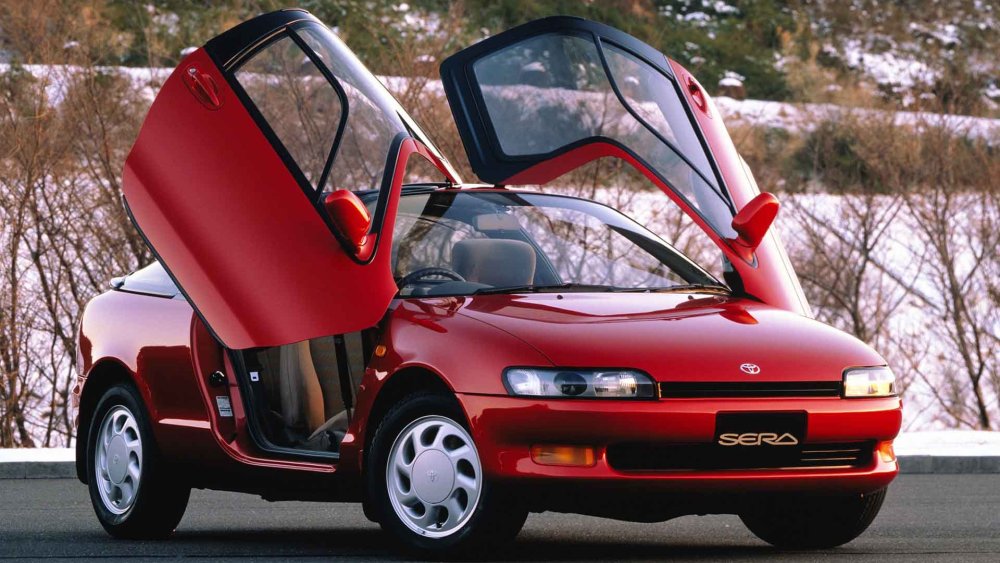
If Toyota relaunched the sera as an ev, id buy one, it was such a fun car.
-
its the precursor to the early 20 series built in (standard tech) Plasmacluster Ioniser system, and the late model 20 series Nano-e technology. On the 10 series it was an option, like you have discovered, these systems go back to at least 1990, I had an ioniser in my 1994 Toyota Sera (which incidentally was the first production car to have projection style headlamps) reportedly, there was a Sera parked not far from Gordon Murray’s home that he would drive past most days. This led to him borrowing one and using it as the inspiration for the Mclaren F1’s dihedral doors
-
Has anyone tried hybrid assistant app (android) https://play.google.com/store/apps/details?id=priusfan.info.bthsd10
-
Have you looked in the manual for specs? http://fsm.japanclassic.ru/toyota/2002.5_7a037_alphard_anh1,mnh1/x339/mokuzi/repair_03.html
-
Any motor factor should have them, so you have the part number or are you getting them to try looking up the alphard? As some places don't list alphard, but have the part as it is used on other Toyota