
wjvh
Established Members
-
Joined
-
Last visited
Everything posted by wjvh
-
Meguiars kit works fine but you must follow the instructions assiduously ; however they will cloud over again as it is UV light that does the damage, so go the extra mile and put a UV resistant film or solution on the lenses too otherwise you’ll end up redoing them every year.
-
If you’re prepared to make a drive this could be worth a look ... https://osakanewport.co.uk
-
Look for a generic Toyota specialist, the engine is common to many other Toyota’s and some Lexus models so they’ll be familiar with the job even if not the model.
-
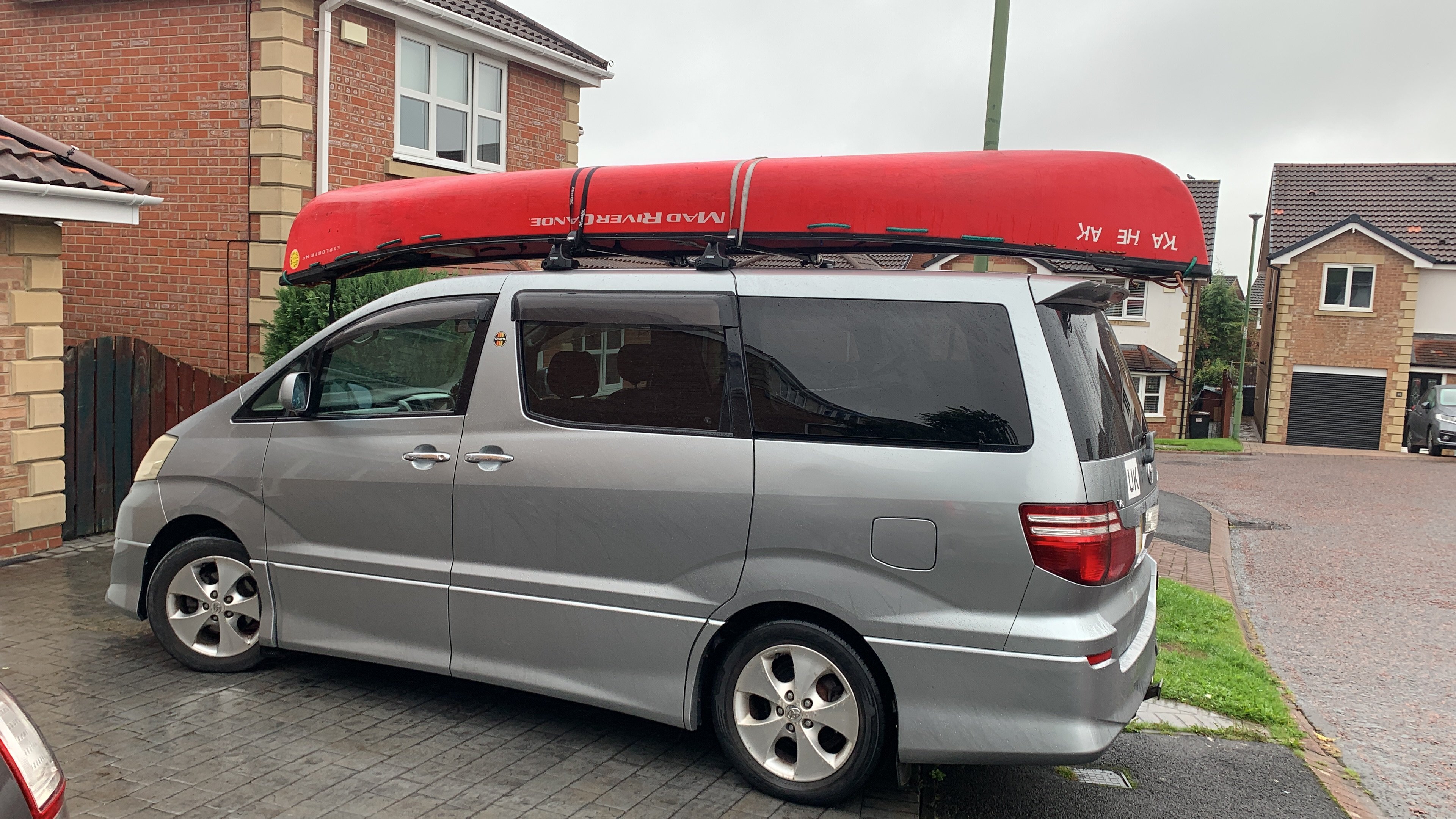
Hi, my 2005 Alphard v6 did not come with a tow hook, I actually need 2 of these as I intend to tie a canoe down on some roof bars so I need these as tie-down anchor points. The shank diameter is 20mm with about 25mm of 2.0 pitch thread at the end. Does anyone know where I can buy replacement tow hooks of this spec OR does anyone have a spare tow hook they want to sell me? Thanks.
-
I don’t think a roof tent would work because the roof bar fixing points are really quite close together so you wouldn’t have a very wide, or stable, base.
-
On my 2005 v6 it’s attached to the rear drivers side wheel. Same on my mates 2003 v6. I would guess same for all Alphard’s. It’s very prone to seizing in British weather (wet, dirt, salt kills the rubber and metal).
-
Is the heating/aircon/blowers on when you start? Might be a fan bearing, or just some dust stuck in a fan somewhere. Is it definitely from under the bonnet or could it be in the dash?
-
What year is your alphard? If MW10 facelift then you’ll need a new fascia insert to fit a double din from Xtrons for about £90.
-
Do you have an OE reversing camera you wish to retain? That will need some new and quite expensive cables. do you want to keep the steering wheel controls? That’ll require a new £25 connector from digital sounds. if you replace your unit with a double-din you’ll need some filler inserts left and right, £10 from digital sounds. do you have an OE front camera you wish to retain? More expensive cables required. do you have an OE video (vga) system you wish to retain? if no cameras or VGA then it’s quite an easy and relatively low cost job. You’ll have loads of redundant cables at the back of the unit.
-
I think best option will be to locate the buzzer/s and disconnect them; hopefully it’s just a case of unplugging. If you find a buzzer and there’s no immediate plug then track the wires back to the next plug and disconnect. Might need some dashboard panel removal (eek, buy some cheap tools on eBay for the job). Once unplugged quickly turn on the ignition just to check no unexpected warning lights ... there shouldn’t be but you never know.
-
Ps I use the residual card slot in the dash to hold a couple of petrol loyalty cards, well, it might as well be useful for something.
-
Yes, it’s a Japanese road toll system. What problem is it causing? Just disconnect the plugs but I’d advise against cutting wires or pulling them out as you never know what else is connected or what could end up getting disturbed etc. you’ll probably also find a Japanese-specific GPS unit and a VICS system which provides traffic updates on Japanese roads only. All of this stuff is redundant in UK.
-
Dynamic sounds
-
-
At that level of voltage it’ll definitely be AC
-
Done a few quotes and Aviva is significantly cheaper than the others AND provide a higher level of cover in several regards.