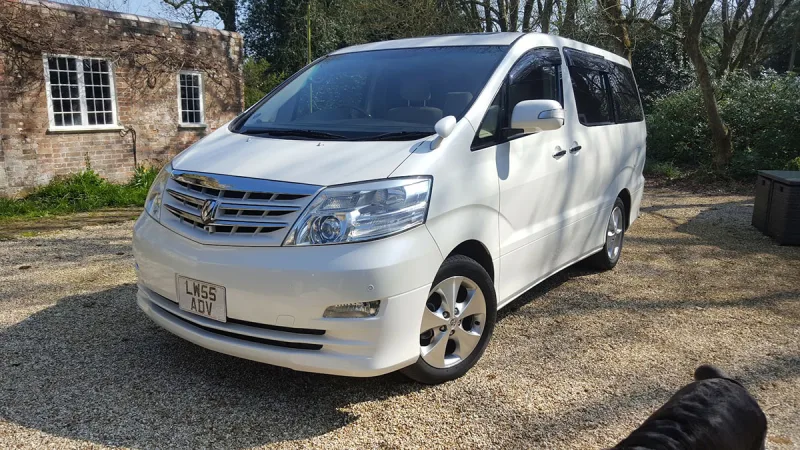
“Sadly we bought a campervan conversion, now better half wants more comfort, ie b&b or hotel (it’s her age). Struggling to justify keeping it as 2nd vehicle. So big…”
“I have converted the Alphard into a camper. fitted an elevating roof and converted it to run on gas. Imported it in 2018 intending to use it to tour Europe but then…”
“Our Alphard is a practical camper. Very useful as a local driver (especially for load carrying). Convenient to park and as a second car. Great for days out and…”
“I love my Vellfire, it is reliable parts are easy servicing no problem. My on complaint is vellfire liw to ground and body parts are very difficult to source. Have…”
“Love it all round. Minor warning rather than reservation. The reversing sensor does not pick up low objects (reversed into a bollard). Very thirsty on short trips,…”
“This is my 4th Alphard. I first bought one in 2016 when not many people knew about them. I have to say on balance, I enjoyed owning my earliest model a mint condition…”
“After I had the cruise control fitted it became a vehicle that could be used more often especially because of the cost of fuel . I used the Toyota to go to the Somme…”
“Fanastic for the space and flexibility of the seats, great for taking stuff to the dump, moving bikes about, camping and sleeping in. I had a pop top fitted to mine…”
“Our Alphard has been converted to a camper van, which is its main purpose with us, and it accomplishes this well. It is also our second vehicle. It is a bit expensive…”
“Easy relaxed drive. had solar panels fitted which makes leisure power worry free. Get a good sized awning. Had narrower kitchen units fitted which allowed for a wider…”
“The Alphard is a very smooth, comfortable, relaxing, drive. Amazing space and load ability. The practicality of a van with the comfort of a large saloon car. I have…”
“A fantastic vehicle from start to finish Comfort that is hard to beat. I can drive for hours at a time without feeling a need for a rest. The model 3.5l V6 is quite…”
“A Reliable comfortable van, converted easily to a high end camper. I drive mostly rural roads alone. My lovely alphard has never let me down, I feel looked after by…”
“It is extremely flexible and very good for an extended family to get around and enjoy days away. The maintenance is spot on and I would advise using winter tyres all…”
“A completely refined driving experience coupled with a very practical campervan conversion that meets our complete requirements.”
Important Information
We have placed cookies on your device to help make this website better. You can adjust your cookie settings, otherwise we'll assume you're okay to continue.